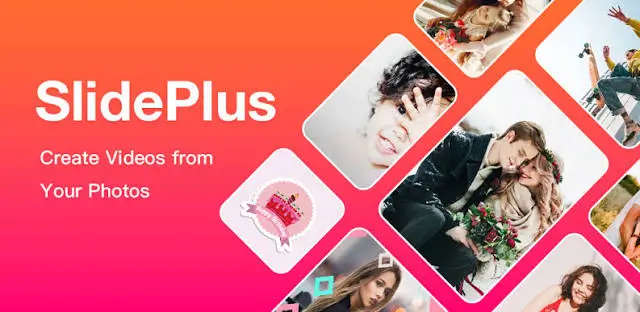
In the digital age, static photos are no longer enough to capture attention on social media. If you want to transform your cherished memories or marketing assets into engaging video content, you need a reliable tool. Enter SlidePlus – Slideshow Maker, a popular mobile application designed to turn your photo gallery into dynamic, music-synced videos.
In this comprehensive SlidePlus review, we will explore its key features, user interface, pros and cons, and help you decide if it is the best slideshow maker app for your needs.
Quick Verdict: Is SlidePlus Worth It?
SlidePlus is an excellent, user-friendly slideshow maker app ideal for beginners and social media enthusiasts. While the free version contains ads and a watermark, its premium features offer professional-grade transitions, beat-synced music, and high-quality exports that make it a top contender in the photo-to-video editing market.
Key Features of SlidePlus – Slideshow Maker
To understand why this app stands out, let’s dive into the core features that make it a powerful video slideshow creator.
1. Stunning Templates and Themes
The app offers a wide variety of pre-designed templates categorized by mood, occasion, and style. Whether you are creating a romantic wedding slideshow, a travel vlog, or a birthday tribute, you can find a theme that perfectly matches your vision.
2. Music Sync and Audio Library
One of the standout features of SlidePlus is its ability to sync photo transitions with the beat of the music. It includes a built-in library of royalty-free tracks, and you can also import your favorite songs from your device. The auto-beat sync feature ensures your slideshow looks professionally edited.
3. Customizable Transitions and Effects
Static slideshows can be boring, but SlidePlus solves this with smooth, cinematic transitions. You can apply zoom, pan, fade, and 3D effects to your photos. The app also allows you to add animated text, stickers, and filters to enhance the visual appeal.
4. High-Quality Export Options
A great slideshow is useless if the export quality is poor. SlidePlus allows you to export your videos in up to 4K resolution, ensuring your content looks crisp and clear on any device or social media platform, including Instagram Reels, TikTok, and YouTube Shorts.
5. Aspect Ratio Customization
Different platforms require different video dimensions. SlidePlus lets you easily adjust the aspect ratio of your slideshow (16:9 for YouTube, 9:16 for TikTok/Reels, 1:1 for Instagram feed) without cropping your photos awkwardly.
User Interface and Ease of Use
A major factor in choosing a slideshow maker app is its learning curve. SlidePlus boasts a highly intuitive and clean user interface.
The dashboard is straightforward, guiding you through a simple step-by-step process:
- Select your photos.
- Choose a template or start from scratch.
- Add music and adjust the duration.
- Apply effects and export.
Even if you have zero experience in video editing, you can create a polished slideshow in minutes. The drag-and-drop functionality makes rearranging photos and tweaking timelines effortless.
Pros and Cons of SlidePlus
Pros:
- Beginner-Friendly: Extremely easy to navigate with no technical skills required.
- Beat-Sync Technology: Automatically aligns transitions with music beats for a professional feel.
- Rich Asset Library: Huge selection of templates, filters, fonts, and music tracks.
- Versatile Export: Supports multiple aspect ratios and high-definition (up to 4K) exports.
- Regular Updates: The developers frequently add new templates and features.
Cons:
- Freemium Model: Many of the best templates and premium features are locked behind a paywall.
- Watermark on Free Version: Free exports include a SlidePlus watermark, which can be distracting.
- In-App Ads: The free version is supported by ads, which can occasionally interrupt the creative flow.
- Heavy on Storage: Rendering high-resolution videos with many photos can consume significant device storage and battery.
Pricing and Subscription Model
SlidePlus operates on a freemium model. You can download the app and use basic features for free. However, to unlock the full potential of the app—including premium templates, removal of the watermark, and ad-free editing—you will need to subscribe to SlidePlus Premium.
The premium subscription is usually offered in weekly, yearly, or lifetime tiers. While the free version is great for casual, one-off projects, content creators and frequent users will find the premium subscription to be a worthwhile investment for the unlocked assets and clean exports.
Final Thoughts: Should You Download SlidePlus?
SlidePlus – Slideshow Maker successfully bridges the gap between simplicity and professional results. It takes the hassle out of video editing by providing automated templates and smart music-syncing tools, allowing you to focus on the content rather than the technicalities.
If you are a social media manager, a small business owner, or simply someone who loves turning family photos into memorable video montages, SlidePlus is highly recommended. Just be prepared to consider the premium subscription if you want to remove the watermark and access the full suite of cinematic templates.
Frequently Asked Questions (FAQ)
Q1: Is SlidePlus – Slideshow Maker free to use? Yes, the app is free to download and use. However, it operates on a freemium model, meaning some premium templates, effects, and the removal of the export watermark require a paid subscription.
Q2: Can I use my own music in SlidePlus? Absolutely. While the app provides a built-in library of tracks, you can easily import your own audio files directly from your device’s music library.
Q3: Does SlidePlus leave a watermark on my videos? If you are using the free version, yes, a small watermark will be applied to your exported video. Upgrading to the premium version removes the watermark completely.
Q4: What is the maximum video resolution I can export? SlidePlus supports high-quality exports, allowing you to save your slideshows in up to 4K resolution, depending on the quality of the original photos and your device’s capabilities.
Q5: Is SlidePlus available on both iOS and Android? Yes, SlidePlus is optimized for both iOS and Android devices, offering a seamless experience across smartphones and tablets.
Download from Google Play for Android:
Download for Android, click here
Download from App Store for iPhone:
Download for iPhone, click here