Looking for the ultimate mobile video editing app? Read our comprehensive VivaVideo review covering its top features, pros and cons, pricing plans, and final verdict.
In the fast-paced world of social media, creating engaging video content is no longer just for professionals. Whether you are crafting TikToks, Instagram Reels, or YouTube Shorts, you need a reliable, feature-rich, and easy-to-use video editor. Enter VivaVideo, one of the most popular mobile video editing applications on the market.
But does it live up to the hype? In this comprehensive VivaVideo review, we will dive deep into its features, usability, pricing, pros, and cons to help you decide if it is the right video editing tool for your creative needs.
Key Features of VivaVideo
VivaVideo has evolved significantly since its launch, transforming from a basic trimming tool into a robust mobile editing suite. Here are the standout features that make it a top contender in the app store:
1. Intuitive and User-Friendly Interface
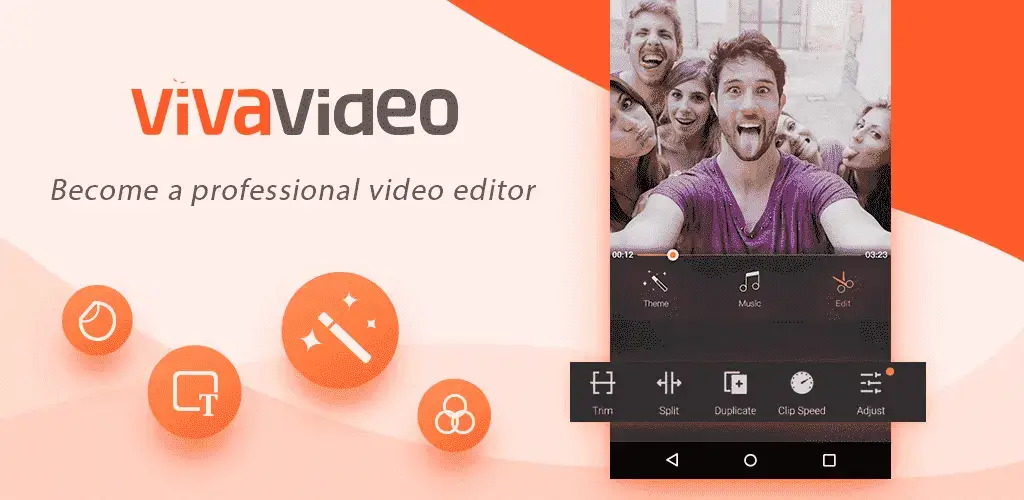
One of VivaVideo’s strongest selling points is its clean, intuitive UI. The timeline-based editing system is highly accessible for beginners, allowing users to easily trim, split, merge, and reorder clips without feeling overwhelmed by complex menus.
2. Extensive Library of Effects and Filters
The app boasts a massive library of visual assets. Users can access hundreds of filters, transitions, and special effects. From cinematic color grading to trendy glitch effects, VivaVideo provides the tools needed to make your videos visually striking.
3. Multi-Track Editing
Unlike basic editors that only allow single-layer editing, VivaVideo supports multi-track editing. This means you can overlay videos, images, text, and audio tracks simultaneously, giving you the flexibility to create Picture-in-Picture (PiP) effects and complex visual compositions.
4. AI-Powered Tools
To keep up with modern editing trends, VivaVideo has integrated several AI features:
- Auto-Captions: Automatically generates accurate subtitles for your videos, a must-have for social media accessibility.
- Background Removal: Instantly removes or replaces video backgrounds without needing a green screen.
- AI Avatars & Templates: Offers one-click trendy templates and AI-generated avatars to speed up the content creation process.
5. Comprehensive Audio Editing
Audio is half the video experience. VivaVideo includes a rich library of royalty-free music and sound effects. It also features advanced audio tools like voiceovers, audio extraction (extracting audio from a video file), fade-in/fade-out effects, and beat-matching to sync your clips perfectly to the music.
6. Text and Subtitle Customization
The app offers a wide variety of animated text templates, fonts, and styles. You can easily add dynamic captions, lower thirds, and titles that can be customized in terms of color, size, and animation speed.
Pros and Cons of VivaVideo
To give you a balanced perspective, here is a breakdown of the advantages and disadvantages of using VivaVideo.
The Pros
- Beginner-Friendly: The learning curve is incredibly low, making it perfect for novice editors.
- Rich Asset Library: Thousands of stickers, themes, music tracks, and effects are available at your fingertips.
- Cross-Platform Availability: Available on both iOS and Android, with a dedicated PC version for those who prefer a larger screen.
- Regular Updates: The developers frequently update the app with new templates, effects, and bug fixes.
- Direct Social Media Sharing: Easily export and share your creations directly to TikTok, Instagram, YouTube, and more.
The Cons
- Watermark on Free Version: The free version exports videos with a VivaVideo watermark, which can look unprofessional.
- Intrusive Ads: The free tier is heavily supported by ads, which can interrupt the editing workflow.
- Premium Paywall: Many of the best effects, transitions, and AI tools are locked behind the VIP subscription.
- Export Limitations: Free users are restricted to lower resolution exports (usually 720p) and shorter video lengths.
Pricing and Plans: Free vs. VIP
VivaVideo operates on a “freemium” model. While you can download and use the app for free, the experience is heavily restricted.
The Free Version: Allows you to test the core editing features, but exports will include a watermark, be limited to 720p resolution, and feature a maximum video length limit. You will also have to navigate through frequent advertisements.
VivaVideo VIP (Premium): To unlock the full potential of the app, you need the VIP subscription. Pricing varies by region and promotional offers, but it generally includes:
- Monthly Plan: Best for short-term projects.
- Yearly Plan: The most cost-effective option for regular creators.
- Lifetime Plan: A one-time payment for permanent access (often available during special sales).
VIP Benefits include: No watermark, 1080p/4K export resolution, unlimited video length, access to all premium themes/effects, and an ad-free experience.
Who is VivaVideo For?
VivaVideo is ideal for:
- Social Media Creators: Influencers and marketers looking to quickly edit trendy Reels, TikToks, and Shorts.
- Beginners: Users who want to learn video editing without dealing with the steep learning curve of professional desktop software.
- Vloggers: Casual vloggers who need to trim clips, add background music, and insert text on the go.
VivaVideo is NOT ideal for:
- Professional Filmmakers: Users looking for advanced color grading, complex node-based compositing, or high-end audio mixing should look toward desktop software like Adobe Premiere Pro or DaVinci Resolve.
Final Verdict
VivaVideo remains one of the most capable and popular mobile video editors available today. Its greatest strength lies in its ability to balance powerful features with extreme ease of use. While the free version is somewhat limited by watermarks and ads, upgrading to the VIP plan transforms it into a highly competitive, professional-grade mobile editing tool.
If you are a content creator looking to produce high-quality, engaging videos directly from your smartphone, VivaVideo is definitely worth the download.
Overall Rating: 4.5 / 5 Stars
Frequently Asked Questions (FAQ)
Is VivaVideo free to use? Yes, VivaVideo is free to download and use. However, the free version includes a watermark, ads, and limited export quality. You can upgrade to VIP for an ad-free, watermark-free experience.
Does VivaVideo leave a watermark on my videos? The free version does leave a VivaVideo watermark on your exported videos. If you subscribe to the VIP plan, the watermark is completely removed.
Can I use VivaVideo on my PC? Yes, while it is primarily known as a mobile app, VivaVideo has developed a dedicated desktop version for Windows and Mac, offering a more precise editing experience with a mouse and keyboard.
Is VivaVideo safe to use? Yes, VivaVideo is a legitimate and safe application available on official app stores like the Apple App Store and Google Play Store. It does not contain malware, though users should always be cautious of third-party APK downloads.
Download from Google Play for Android:
Download for Android, click here
Download from App Store for iPhone:
Download for iPhone, click here