Introduction
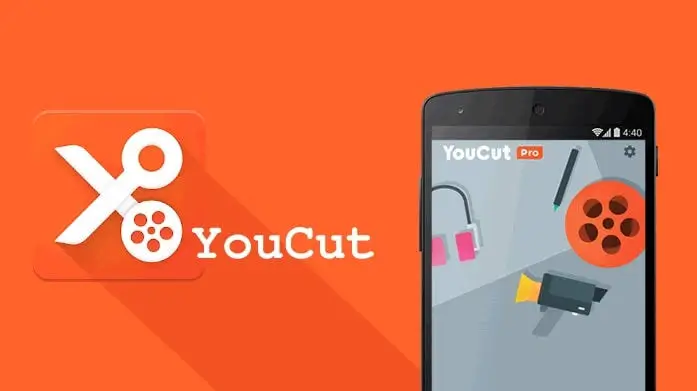
In a world dominated by short-form video content, having a reliable and powerful video editing tool right in your pocket is no longer a luxury — it’s a necessity. YouCut – Video Editor & Maker has emerged as one of the most popular mobile video editing applications available on Android, boasting millions of downloads and consistently high ratings across app stores. Developed by InShot Inc., the same team behind the widely acclaimed InShot editor, YouCut positions itself as a streamlined, user-friendly alternative designed specifically for creators who want professional-quality results without the steep learning curve.
But does YouCut truly live up to the hype? In this in-depth YouCut video editor review, we break down every aspect of the app — from its core features and interface design to export quality, performance, and overall value — to help you decide whether it deserves a permanent spot on your smartphone.
What Is YouCut Video Editor?
YouCut is a free video editing app for Android that allows users to trim, cut, merge, and enhance video clips directly from their mobile devices. Unlike many competing editors that overwhelm beginners with complex timelines and layered toolbars, YouCut adopts a minimalist philosophy: give creators exactly what they need, nothing more, nothing less. The app supports a wide range of video formats and resolutions, making it suitable for editing content destined for YouTube, Instagram Reels, TikTok, Facebook, and other major social media platforms.
Key Features Breakdown
1. Video Trimming, Cutting, and Splitting
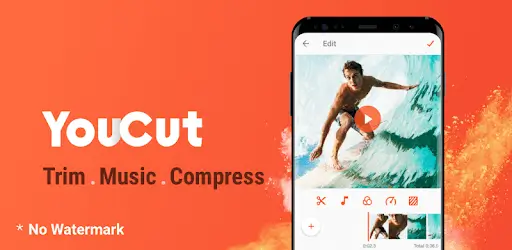
At its core, YouCut excels at the fundamentals. The trim and cut tools are incredibly precise, allowing you to shave off unwanted seconds from the beginning or end of a clip with frame-level accuracy. The split function lets you divide a single video into multiple segments, which is especially useful when you need to remove a middle section or rearrange the order of scenes. These tools respond instantly to touch input, and the visual timeline makes it easy to pinpoint exact moments.
2. Video Merging and Joining
One of YouCut’s standout capabilities is its video merger. You can import multiple clips from your gallery and stitch them together into a single, seamless video. Transitions between clips can be customized, and the app handles varying resolutions and aspect ratios gracefully by automatically adjusting the output to match your chosen canvas size.
3. Filters and Visual Effects
YouCut ships with a generous library of video filters and effects that can dramatically alter the mood and tone of your footage. From warm vintage overlays to cool cinematic color grades, the filter collection covers a broad spectrum of creative styles. Each filter’s intensity can be adjusted using a simple slider, giving you granular control without requiring any knowledge of color theory or grading software.
4. Text and Stickers
Adding text overlays to your videos is straightforward. YouCut offers multiple font styles, colors, animations, and positioning options. Whether you need a bold title card, subtle subtitles, or a call-to-action at the end of your video, the text tool handles it all. The sticker library, while not as extensive as some competitors, includes enough animated and static options to add personality to casual content.
5. Music and Audio Editing
No video is complete without the right soundtrack. YouCut provides a built-in royalty-free music library and allows you to import your own audio files. You can adjust volume levels, fade audio in and out, and sync music beats to your video cuts. The app also supports voiceover recording directly within the editor, which is a fantastic feature for tutorial creators and vloggers.
6. Speed Control
The video speed adjustment tool lets you create slow-motion or time-lapse effects with ease. You can speed up footage by up to 10x or slow it down to 0.25x, and the transitions between normal and altered speeds are smooth enough for most social media use cases.
7. Aspect Ratio and Canvas Options
YouCut supports all major aspect ratios, including 16:9 for YouTube, 9:16 for TikTok and Instagram Stories, 1:1 for Instagram feed posts, 4:5 for Facebook, and even custom ratios. The app intelligently fills blank spaces with blurred backgrounds or solid colors when your footage doesn’t match the selected ratio, ensuring your final video always looks polished.
8. No Watermark on Free Version
Perhaps the most compelling feature of YouCut is that it does not impose a watermark on exported videos, even in the free version. This alone sets it apart from dozens of competing apps that force a branded logo onto your content unless you pay for a premium subscription.
User Interface and Ease of Use
YouCut’s interface is a masterclass in mobile UX design. Upon launching the app, you’re greeted with a clean home screen that presents two primary options: create a new project or access your recent edits. The editing workspace follows a logical top-down layout — your video preview occupies the upper half of the screen, while the timeline and tool icons sit below.
Navigating between tools is intuitive. Each function is represented by a clearly labeled icon, and contextual menus appear only when relevant, preventing screen clutter. First-time users can produce a fully edited video within minutes of opening the app, which speaks volumes about the thoughtfulness of the design. There are no hidden menus, no confusing sub-layers, and no unnecessary pop-ups interrupting your workflow.
For beginners and casual creators, YouCut’s simplicity is its greatest strength. However, advanced users who rely on keyframe animation, multi-track audio mixing, or masking tools may find the interface limiting.
Export Quality and Performance
YouCut supports HD and 4K video export, which is impressive for a free mobile editor. Exported files maintain sharp detail and accurate color reproduction, and the rendering process is notably fast compared to heavier apps like KineMaster or Adobe Premiere Rush. On mid-range Android devices, a five-minute 1080p video typically exports in under two minutes.
The app handles large file sizes well, though performance may stutter slightly when working with 4K footage on older hardware. Crashes are rare, and the auto-save feature ensures you never lose progress during an unexpected interruption.
Pros and Cons
Pros
- Completely free to use with no watermark on exports
- Clean, intuitive interface ideal for beginners
- Supports 4K resolution export
- Extensive filter and effect library
- Built-in royalty-free music and voiceover recording
- Fast rendering speeds on most devices
- All major aspect ratios supported
- Lightweight app size that doesn’t consume excessive storage
- Regular updates with new features and bug fixes
Cons
- Limited advanced editing tools such as keyframing and masking
- No desktop version available
- Some premium effects and transitions locked behind a paywall
- Occasional lag when editing 4K footage on low-end devices
- No cloud sync or cross-device project sharing
- Sticker and template library is smaller than competitors like CapCut
Pricing and Premium Features
YouCut follows a freemium model. The free version is remarkably generous, offering full access to trimming, merging, filters, text, music, and watermark-free exports. The premium subscription, available on a monthly or annual basis, unlocks additional effects, transitions, filters, and removes in-app advertisements.
For most casual creators and social media enthusiasts, the free version is more than sufficient. The premium tier is worth considering only if you produce content daily and want access to the full creative toolkit without ad interruptions.
How Does YouCut Compare to Competitors?
When stacked against popular alternatives like CapCut, InShot, VN Video Editor, and KineMaster, YouCut holds its own in the simplicity and speed departments. CapCut offers more advanced features like AI-powered background removal and auto-captions, while KineMaster provides multi-layer editing closer to desktop software. However, neither of those apps matches YouCut’s combination of zero watermark, fast performance, and beginner-friendly design in a single package.
If your primary goal is to quickly edit and publish short-form social media videos without dealing with complexity, YouCut is arguably the best free video editor for Android in its category.
Who Should Use YouCut?
- Social media creators who need quick edits for Instagram, TikTok, and YouTube Shorts
- Small business owners producing promotional videos on a budget
- Students and educators creating presentation clips
- Travel vloggers who want to compile footage on the go
- Anyone who values simplicity and speed over advanced post-production tools
Final Verdict
YouCut – Video Editor & Maker delivers exactly what it promises: a fast, free, and frustration-free video editing experience tailored for mobile creators. Its lack of a watermark, support for 4K exports, and intuitive interface make it a standout choice in an overcrowded market. While it may not satisfy the needs of professional editors who require granular control over every frame, it more than covers the requirements of the vast majority of smartphone content creators.
If you’re searching for a reliable, no-nonsense video editor for Android that won’t slow you down or slap a logo on your hard work, YouCut deserves your attention. Download it, import your first clip, and you’ll understand why millions of creators have made it their go-to editing companion.
Rating: 4.5 / 5
Frequently Asked Questions
Is YouCut really free to use? Yes. YouCut is free to download and use, and it does not add a watermark to your exported videos. A premium subscription is available for users who want additional effects and an ad-free experience.
Can I edit 4K videos in YouCut? Yes. YouCut supports importing and exporting videos in up to 4K resolution, though editing performance may vary depending on your device’s hardware capabilities.
Does YouCut work on iPhone? As of now, YouCut is available exclusively on Android devices. iOS users may want to explore alternatives like VN Video Editor or iMovie.
Is YouCut safe to use? Yes. YouCut is developed by InShot Inc., a reputable app developer, and is available through the official Google Play Store. The app does not require unnecessary permissions and follows standard data privacy practices.
Can I use YouCut for YouTube videos? Absolutely. YouCut supports the 16:9 aspect ratio and HD/4K export quality required for YouTube content, making it an excellent choice for YouTubers who edit on mobile.
Download from Google Play for Android:
Download for Android, click here
Download from App Store for iPhone:
Download for iPhone, click here