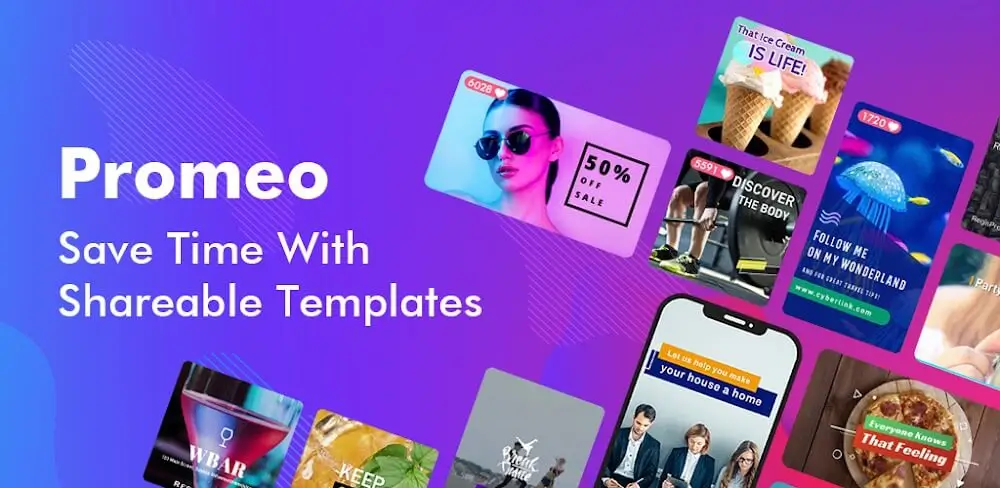
In the fast-paced world of social media, short-form video is undeniably king. Whether you are managing a brand’s Instagram account, growing a TikTok following, or creating YouTube Shorts, having the right video editing tool is crucial. Enter Promeo – Story & Reels Maker, a popular video creation app designed specifically to help users produce stunning, scroll-stopping short-form content without needing professional editing skills.
In this comprehensive Promeo review, we will dive deep into its features, user interface, pricing, pros and cons, and ultimately determine if it is the right video maker for your social media strategy.
Key Features of Promeo: Story & Reels Maker
Promeo is packed with tools tailored for modern digital marketers and content creators. Here is a breakdown of its standout features:
1. Thousands of Premium Templates
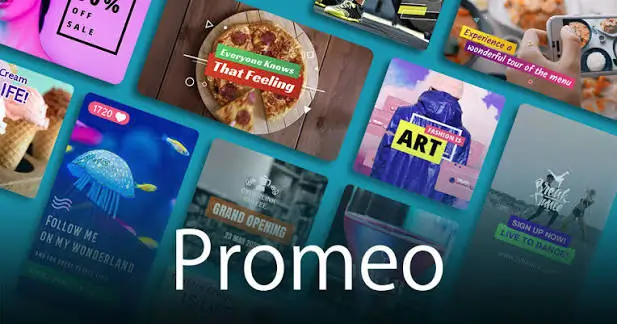
The core strength of Promeo lies in its massive library of professionally designed templates. Whether you need a dynamic Instagram Reel, an engaging TikTok trend, or a polished YouTube Short, the app offers pre-made layouts categorized by industry, style, and purpose. This drastically reduces production time.
2. Extensive Stock Media Library
Running out of content ideas or lacking original footage? Promeo integrates a vast stock library directly into the editor. Users get access to millions of premium stock videos, images, and royalty-free music tracks, ensuring your Reels and Stories look professional and copyright-free.
3. Custom Brand Kit
For businesses and agencies, consistency is key. Promeo allows you to create a “Brand Kit” where you can save your brand’s specific color palettes, custom fonts, logos, and watermarks. With one click, you can apply your brand identity to any template, ensuring uniformity across all your social media channels.
4. Intuitive Drag-and-Drop Editor
You do not need to be a video editing expert to use Promeo. The app features a highly intuitive drag-and-drop interface. You can easily trim clips, add text animations, apply transitions, and adjust audio levels. The timeline is simplified, making it easy to sync your video cuts to the beat of the background music.
5. Auto-Resize for Multiple Platforms
One of the most time-consuming tasks in social media management is resizing videos for different platforms. Promeo’s auto-resize feature allows you to take a single video project and instantly adapt it to the exact aspect ratios required for Instagram Reels (9:16), TikTok, YouTube Shorts, and Facebook Stories.
User Interface and Ease of Use
When evaluating any Story & Reels Maker, the learning curve is a critical factor. Promeo excels in this area by offering a clean, uncluttered dashboard.
The mobile and web interfaces are highly responsive. Finding a template, swapping out media, and tweaking text takes just a few taps or clicks. The app also includes helpful tooltips and a straightforward navigation menu, ensuring that even beginners can publish their first Reel within minutes of downloading the app. Furthermore, the cloud-based syncing means you can start editing on your desktop and finish on your mobile device seamlessly.
Pros and Cons of Promeo
To give you a balanced perspective, here are the advantages and disadvantages of using Promeo for your short-form video needs.
The Pros
- Incredibly User-Friendly: The drag-and-drop interface makes video editing accessible to non-professionals.
- High-Quality Templates: The designs are modern, trendy, and optimized for high engagement on social media.
- All-in-One Platform: Combines video editing, stock media, and audio in one place, eliminating the need for multiple apps.
- Brand Consistency: The Brand Kit feature is a massive time-saver for businesses and agencies.
- Cross-Platform Optimization: Auto-resizing makes multi-channel posting effortless.
The Cons
- Premium Pricing: While there is a free version, the best templates and stock media are locked behind a paywall, which might be steep for solo creators on a tight budget.
- Limited Advanced Editing: Professional video editors looking for complex keyframing, advanced color grading, or multi-track audio mixing might find Promeo too basic.
- Internet Dependency: As a cloud-heavy application, it requires a stable internet connection to access templates and export high-quality videos smoothly.
Pricing and Value for Money
Promeo operates on a freemium subscription model.
- Free Plan: Allows you to explore the interface, use basic templates, and export videos with a Promeo watermark. It is great for testing the waters.
- Premium Plans: The paid subscriptions (usually billed monthly or annually) unlock the full template library, premium stock media, remove the watermark, and provide access to the Brand Kit.
Is it worth it? For small business owners, social media managers, and marketers who need to produce high volumes of content quickly, the premium plan offers excellent ROI by saving hours of manual editing and design time. For casual users who only post once a month, the free version or a basic mobile editor might suffice.
Who Should Use Promeo?
Promeo – Story & Reels Maker is not for everyone, but it is perfect for specific user groups:
- Social Media Managers: Who need to churn out daily Reels and Stories for multiple clients quickly.
- Small Business Owners & E-commerce Brands: Looking to create promotional videos, product showcases, and engaging Stories without hiring a video production team.
- Digital Marketers: Who need to create ad creatives for Facebook, Instagram, and TikTok campaigns.
- Influencers & Content Creators: Who want aesthetically pleasing, trendy templates to elevate their personal brand.
Final Verdict
Promeo – Story & Reels Maker is a powerhouse tool for anyone looking to elevate their short-form video content. It perfectly bridges the gap between professional design and user-friendly accessibility. While it may lack the deep, complex editing features of desktop software like Premiere Pro, it more than makes up for it with speed, convenience, and stunning pre-made assets.
If your primary goal is to create engaging, high-converting Instagram Reels, TikToks, and Stories efficiently, Promeo is undoubtedly one of the best investments you can make for your social media toolkit.
Frequently Asked Questions (FAQ)
1. Is Promeo free to use? Yes, Promeo offers a free version that allows you to explore basic features and templates. However, exporting without a watermark and accessing premium templates and stock media requires a paid subscription.
2. Can I use Promeo to make TikTok and YouTube Shorts videos? Absolutely. Promeo is specifically optimized for vertical video formats. It includes dedicated templates and auto-resize features for TikTok, YouTube Shorts, Instagram Reels, and Facebook Stories.
3. Does Promeo provide royalty-free music? Yes, the premium version of Promeo includes access to a vast library of royalty-free music and sound effects, ensuring your videos are safe from copyright claims on social media platforms.
4. Can I upload my own footage and photos to Promeo? Yes. While Promeo offers a massive stock library, you can easily upload your own videos, images, and audio tracks from your device to customize your templates.
5. Is there a watermark on the free version? Yes, videos exported using the free plan will include a Promeo watermark. Upgrading to a premium plan removes the watermark entirely.
Download from Google Play for Android:
Download for Android, click here
Download from App Store for iPhone:
Download for iPhone, click here