Looking for a lightweight, data-friendly way to enjoy short-form videos? This comprehensive TikTok Lite review breaks down everything you need to know in 2026—from core features and performance to privacy, usability, and how it stacks up against the full app. Whether you’re using a budget phone, managing a tight data plan, or simply want a smoother scrolling experience, we’ll help you decide if TikTok Lite is the right choice for you.
What Is TikTok Lite?
TikTok Lite is a streamlined version of the original TikTok app, specifically engineered for older smartphones, slower internet connections, and regions with limited bandwidth. It consumes significantly less storage, uses minimal mobile data, and launches faster while preserving the core TikTok experience: an endless For You feed, trending sounds, interactive engagement, and creator content.
Key Features of TikTok Lite
- Compact Installation Size: Typically under 30MB, making it ideal for devices with limited internal storage.
- Optimized Data Usage: Built-in video compression and background data controls help you stay within monthly limits.
- Faster Load Times: Reduced animations and a simplified interface ensure quick startup and seamless scrolling.
- Core TikTok Functionality: Full access to trending hashtags, likes, comments, shares, bookmarks, and direct messaging.
- Low Resource Demand: Runs smoothly on entry-level Android devices with 2GB RAM or less.
- Smart Caching: Preloads upcoming videos intelligently to minimize buffering on unstable connections.
TikTok Lite vs Full TikTok: What’s the Difference?
Both apps deliver the same viral content and algorithm-driven recommendations, but TikTok Lite removes resource-heavy features to prioritize speed and efficiency. The Lite version omits advanced video editing tools, AR filters, multi-track sound mixing, live streaming host controls, and detailed creator analytics. If your main goal is watching and engaging, Lite is more than sufficient. Content creators who need professional editing capabilities or broadcast features will still prefer the full app.
Pros and Cons of TikTok Lite
✅ Pros:
- Ultra-lightweight and storage-efficient
- Ideal for budget and older Android smartphones
- Significantly reduces mobile data and battery drain
- Delivers fast, lag-free scrolling
- Completely free with no hidden subscriptions
❌ Cons:
- Limited video creation and editing tools
- No live streaming hosting or advanced visual effects
- Simplified UI may feel less polished to some users
- Android-only (not available on iOS as of 2026)
- Fewer feed customization and accessibility settings
Performance & Data Usage
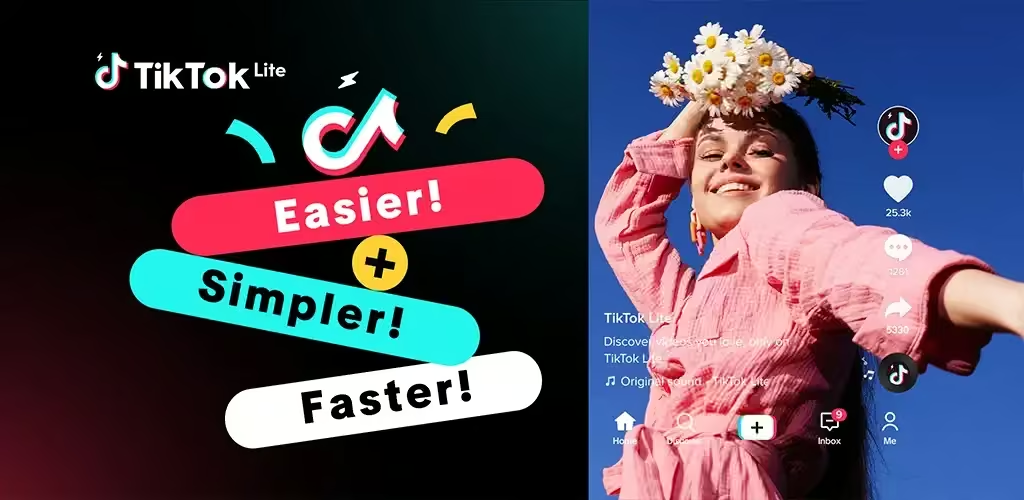
In practical use, TikTok Lite consumes roughly 40–60% less data than the standard app during equivalent viewing sessions. Video quality adapts dynamically to network conditions but remains clear and watchable on 3G and 4G connections. Background processes are heavily minimized, cutting RAM usage by up to 70% and preventing device slowdowns. App updates are smaller and less frequent, ensuring long-term stability without constant downloading.
Safety & Privacy
TikTok Lite operates under the same privacy framework, content moderation policies, and parental controls as the main app. Users can activate Restricted Mode, set screen time limits, manage who can message or duet them, and control data sharing preferences directly from the settings menu. As with any social platform, it’s highly recommended to review privacy configurations after installation and enable two-factor authentication for account protection.
Who Should Use TikTok Lite?
- Users with older or budget Android smartphones
- People on limited, prepaid, or pay-as-you-go data plans
- Viewers who prioritize content consumption over creation
- Anyone experiencing crashes, overheating, or lag with the full TikTok app
- Students, travelers, or residents in areas with inconsistent internet
Frequently Asked Questions (FAQ)
Q: Is TikTok Lite available for iPhone?
A: No. As of 2026, TikTok Lite remains exclusive to Android devices. iOS users must use the standard TikTok app.
Q: Does TikTok Lite save videos in lower quality?
A: The app streams and saves videos using optimized compression to reduce data usage. Playback remains smooth, but resolution adapts to your connection speed.
Q: Can I switch from TikTok Lite to the full TikTok app without losing my account?
A: Yes. Both versions sync with the same login. Switching preserves your followers, likes, saved content, messages, and profile settings.
Q: Is TikTok Lite safe for younger users?
A: It includes the same parental controls, Restricted Mode, and community guidelines as the main app. Supervision and privacy settings should be adjusted according to the user’s age.
Final Verdict
TikTok Lite delivers exactly what it promises: a fast, lightweight, and data-efficient way to enjoy short-form video content without sacrificing the core TikTok experience. While it isn’t designed for advanced creators, it’s a standout option for everyday viewers, budget phone owners, and anyone frustrated by app bloat. In 2026, it remains one of the most practical social media tools for constrained devices and limited networks. If smooth performance and data savings matter more to you than premium editing features, TikTok Lite is absolutely worth installing.
Discover our 2026 TikTok Lite review covering features, data usage, pros & cons, and how it compares to the full app. Find out if TikTok Lite is right for your device and lifestyle.
Download from Google Play for Android:
Download for Android, click here