In the rapidly evolving world of mobile photography and digital art, Artificial Intelligence has taken center stage. If you are looking for a powerful, all-in-one mobile solution to transform your photos, the MyEdit: AI Image Generator app is a top contender. Available for both Android and iOS, this app promises to put professional-grade AI editing tools right at your fingertips.
In this comprehensive review, we will dive deep into the features, user interface, performance, pricing, and overall value of the MyEdit app to help you decide if it deserves a spot on your smartphone.
What is MyEdit?
MyEdit is a versatile AI-powered photo and video editing application designed for creators, social media enthusiasts, and everyday users. Developed to simplify complex editing tasks, it leverages advanced machine learning algorithms to offer features like text-to-image generation, background removal, object erasure, and AI avatars. Whether you are using a Samsung Galaxy or an iPhone, MyEdit aims to deliver a seamless, desktop-quality editing experience on your mobile device.
Key Features of MyEdit AI Image Generator
To understand why MyEdit stands out in the crowded app market, we need to look at its robust feature set. Here are the standout tools that make this app a must-have.
1. AI Image Generator (Text-to-Image)
The crown jewel of the app is its AI image generator. By simply typing a text prompt, the app generates high-quality, unique images in seconds. You can choose from various artistic styles, including anime, 3D render, oil painting, and photorealistic. It is perfect for generating social media backgrounds, concept art, or unique profile pictures.
2. AI Object Removal and Background Eraser
Say goodbye to photobombers or messy backgrounds. MyEdit’s AI object removal tool intelligently detects and erases unwanted elements, filling in the background seamlessly. Similarly, the one-tap background remover is incredibly precise, making it ideal for e-commerce product shots or professional headshots.
3. AI Avatars and Anime Filters
Want to see yourself as a cyberpunk character or a classic anime protagonist? The AI Avatar and filter features analyze your facial features and apply stunning, high-fidelity transformations. This feature is highly popular for creating unique social media content and profile pictures.
4. Photo Enhancer and AI Restoration
Blurry, old, or low-resolution photos are no longer a problem. The AI Photo Enhancer upscales images, sharpens details, and restores old family photos by removing scratches and color fading, bringing them back to life in just one click.
5. AI Sky Replacement and Color Grading
Change the mood of your landscape photos instantly. The AI Sky Replacement tool detects the horizon line and allows you to swap dull skies with vibrant sunsets, starry nights, or dramatic clouds. Combined with AI-powered color grading presets, your landscape photography will look professionally edited.
User Interface and Experience: Android vs. iOS
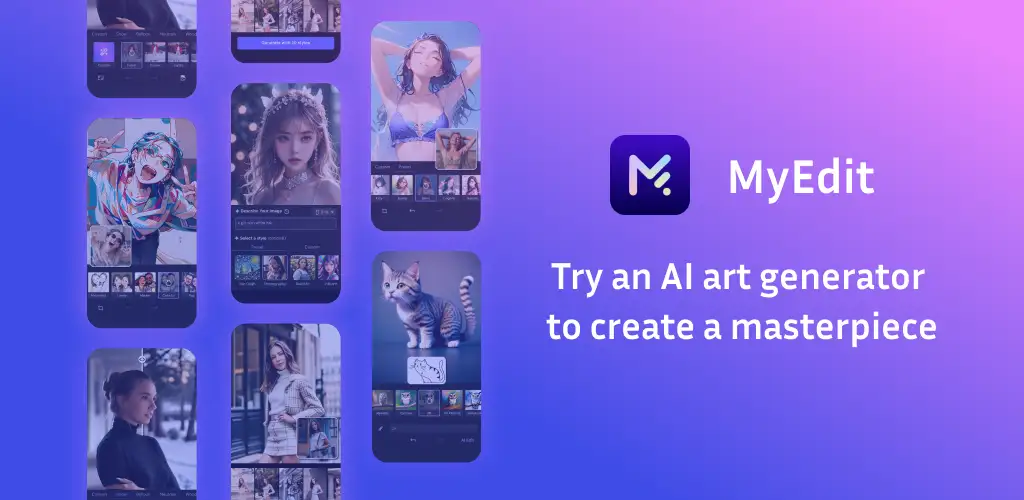
A great app is nothing without a smooth user experience. Here is how MyEdit performs across both major mobile platforms.
Android Experience
On Android, MyEdit is highly optimized for a wide range of devices. The interface is intuitive, featuring a clean dashboard where all AI tools are categorized logically. The app handles heavy AI processing efficiently, utilizing the device’s hardware acceleration to minimize lag. Exporting high-resolution images is fast, and the integration with the Android gallery system is seamless.
iOS Experience
For iPhone and iPad users, MyEdit offers a polished, native-feeling experience. The UI perfectly matches Apple’s design guidelines, offering smooth animations and crisp visuals. The app takes full advantage of the A-series and M-series chips, making complex tasks like AI image generation and video rendering remarkably fast. Features like Live Text integration and seamless sharing to iOS-native apps make it a joy to use on Apple devices.
Verdict on UI/UX: Both Android and iOS versions offer a consistent, user-friendly experience. The learning curve is minimal, making it accessible for beginners while offering enough depth for advanced users.
Pros and Cons of MyEdit
No app is perfect. Here is an objective look at the advantages and drawbacks of using MyEdit.
Pros
- Comprehensive AI Toolset: Combines multiple AI tools (generation, editing, enhancement) into one app.
- User-Friendly Interface: Clean, intuitive, and easy to navigate on both Android and iOS.
- High-Quality Outputs: The AI models produce professional, high-resolution results with minimal artifacts.
- Regular Updates: The developers frequently add new AI models, filters, and features.
- Cross-Platform Sync: Available on both major mobile operating systems with consistent performance.
Cons
- Freemium Limitations: The free version has daily credit limits and watermarks on some premium AI features.
- Requires Internet Connection: Heavy AI processing (like text-to-image generation) requires a stable internet connection.
- In-App Purchases: To unlock the full potential of the app, a premium subscription is highly recommended.
Pricing and Subscription Model
MyEdit operates on a freemium model.
- Free Version: You can download the app and use basic editing tools for free. However, advanced AI features (like AI Image Generation and AI Avatars) operate on a daily credit system. You get a limited number of free credits daily, and some exports may include a watermark.
- MyEdit Premium (Pro): Upgrading to the premium subscription removes watermarks, grants unlimited access to all AI generation tools, unlocks exclusive filters, and provides priority processing speeds. It is available via monthly or annual billing, with the annual plan offering significant savings.
Is it worth it? If you are a casual user, the free daily credits are sufficient. However, if you are a content creator, social media manager, or digital artist, the Premium subscription pays for itself by saving you hours of manual editing.
Final Verdict: Should You Download MyEdit?
The MyEdit: AI Image Generator is a powerhouse app that successfully bridges the gap between complex desktop AI software and mobile convenience. Its ability to generate stunning images from text, remove objects flawlessly, and restore old photos makes it an indispensable tool for modern smartphone users.
While the freemium model might push some users toward the paid subscription, the sheer quality and variety of the AI tools justify the investment for serious creators. Whether you are on Android or iOS, MyEdit delivers a premium, reliable, and highly creative editing experience.
Rating: 4.5 / 5 Stars
Frequently Asked Questions (FAQs)
1. Is MyEdit free to download and use? Yes, MyEdit is free to download on both Android and iOS. It offers a free tier with daily credits for AI features, but a premium subscription is required for unlimited access and watermark-free exports.
2. Does MyEdit work offline? Basic editing tools like cropping, adjusting brightness, and applying standard filters work offline. However, core AI features like the AI Image Generator, Object Removal, and AI Avatars require an active internet connection to process the data via cloud servers.
3. Can I use MyEdit for commercial projects? If you are using the free version, commercial use may be restricted due to watermarks and licensing. If you subscribe to MyEdit Premium, you generally gain full commercial rights to the images and videos you create and export through the app. Always check the latest terms of service within the app for specific commercial licensing details.
4. How does MyEdit compare to other AI photo editors? MyEdit stands out because it is an “all-in-one” solution. While some apps only focus on AI generation and others only on photo retouching, MyEdit combines text-to-image generation, object removal, background erasing, and photo enhancement into a single, cohesive mobile application.
Download from Google Play for Android:
Download for Android, click here
Download from App Store for iPhone:
Download for iPhone, click here