The mobile AI generation landscape is evolving at a breakneck pace, and Kling AI: AI Image & Video Maker has quickly emerged as a frontrunner. Available for both Android and iOS, this app promises to put Hollywood-level AI generation capabilities right into the palm of your hand.
Whether you are a content creator, digital marketer, or simply an AI enthusiast, finding the right mobile tool is crucial. In this comprehensive review, we will dive deep into the features, user experience, pricing, and overall performance of the Kling AI app to help you decide if it deserves a spot on your smartphone.
What is Kling AI?
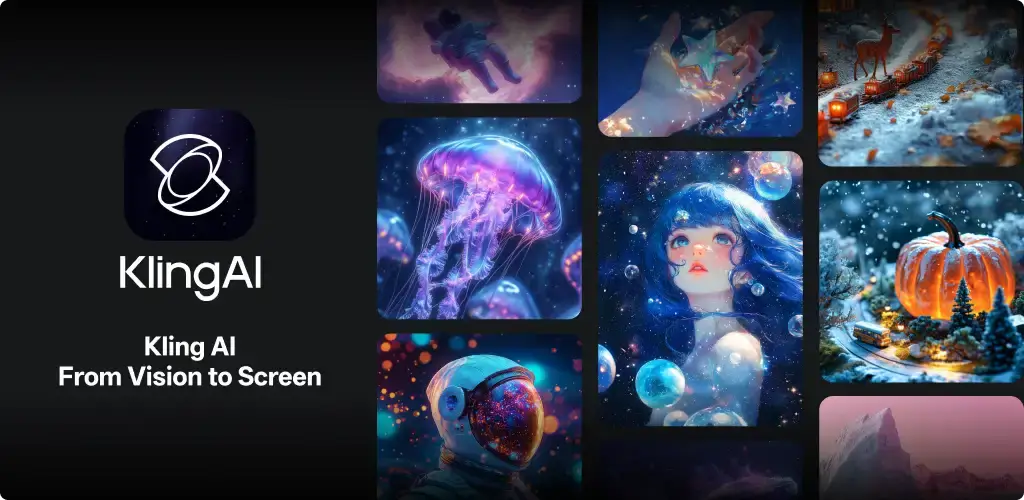
Kling AI is a cutting-edge generative artificial intelligence application designed to transform text prompts and static images into high-quality, dynamic videos and stunning artwork. Originally making waves in the web-based AI community, its transition to a dedicated mobile app for Android and iOS has made AI video and image creation more accessible than ever.
Unlike basic filter apps, Kling AI utilizes advanced diffusion models to understand physics, motion, and lighting, resulting in highly realistic and coherent generated media.
Key Features of Kling AI (Android & iOS)
To understand why this app is trending, we need to look at its core capabilities. Here is what makes the Kling AI app stand out in the crowded AI market:
1. Text-to-Video Generation
The flagship feature of the app is its text-to-video engine. By simply typing a detailed prompt, the AI generates highly realistic video clips. The motion consistency, lighting, and physical accuracy are among the best currently available on mobile devices.
2. Image-to-Video Animation
Have a stunning AI-generated image or a personal photo? The Image-to-Video feature allows you to breathe life into static pictures. You can control the camera movements (pan, tilt, zoom) and the intensity of the motion, turning a simple portrait into a cinematic shot.
3. High-Quality AI Image Maker
Beyond video, Kling AI is a powerful AI image generator. It supports various aspect ratios, artistic styles (from photorealism to anime and 3D render), and complex prompt adherence, making it a versatile tool for digital art.
4. Advanced Camera and Motion Control
One of the biggest hurdles in AI video is controlling the camera. Kling AI solves this by offering intuitive on-screen controls for camera trajectories, allowing creators to dictate exactly how the “virtual camera” moves through the generated scene.
5. High-Resolution Output
The app supports up to 1080p high-definition video exports, ensuring that your generated content is crisp, clear, and ready for platforms like TikTok, Instagram Reels, and YouTube Shorts.
User Interface and Experience (UI/UX)
A powerful AI tool is only as good as its interface. Fortunately, the Kling AI app for Android and iOS boasts a sleek, modern, and highly intuitive design.
- Prompting Made Easy: The text input area is front and center. The app also includes prompt suggestions and a “surprise me” button to help users overcome writer’s block.
- Gallery and History: All your generated images and videos are neatly organized in a personal gallery, making it easy to download, share, or re-edit past creations.
- Seamless Navigation: Bottom navigation tabs allow for quick switching between Text-to-Video, Image-to-Video, Image Generation, and your profile/settings.
- Cross-Platform Sync: If you use the web version and the mobile app, your generations and credits are seamlessly synced across devices.
Performance: Android vs. iOS
How does the app perform on the two major mobile operating systems?
iOS Experience
On iOS (iPhones and iPads), the Kling AI app is exceptionally polished. The interface takes full advantage of the iOS design language, offering buttery-smooth scrolling and rapid load times. The integration with the iOS share sheet makes exporting your AI videos to other social media apps instantaneous.
Android Experience
The Android version of Kling AI is equally robust. It is highly optimized to run smoothly on a wide range of devices, from flagship Samsung and Pixel phones to mid-range devices. While heavy rendering tasks are handled on the cloud (meaning your phone won’t overheat), the app’s UI remains responsive and lag-free across the fragmented Android ecosystem.
Pros and Cons of Kling AI
To give you a balanced perspective, here are the advantages and drawbacks of using the app.
The Pros
- Unmatched Realism: The video generation quality rivals top-tier desktop AI models.
- User-Friendly Mobile Design: No steep learning curve; perfect for on-the-go creation.
- Versatile Toolset: Combines both AI image and AI video making in one app.
- Regular Updates: The developers frequently roll out new features, models, and UI improvements.
The Cons
- Credit-Based System: High-quality generation consumes credits quickly, which can be frustrating for heavy users.
- Rendering Times: While cloud-based, generating high-res videos can take a few minutes, requiring a bit of patience.
- Occasional AI Artifacts: In highly complex scenes with multiple interacting subjects, minor morphing or physical glitches can still occur.
Pricing and Accessibility
Kling AI operates on a freemium model.
- Free Tier: New users and daily logins are rewarded with free daily credits. This is enough to generate a few images or short video clips daily, allowing you to test the app without spending money.
- Premium Subscriptions: For professional creators who need high-volume generation, faster rendering queues, and extended video lengths, Kling AI offers monthly subscription tiers. These plans provide a massive boost in daily credits and unlock premium features.
SEO Tip: Always check the app store for the latest pricing, as promotional offers and credit packages are frequently updated.
Final Verdict: Is Kling AI Worth Downloading?
The Kling AI: AI Image & Video Maker app is a monumental step forward for mobile AI generation. It successfully bridges the gap between complex desktop AI tools and user-friendly mobile applications.
If you are a content creator looking to generate unique B-roll, a marketer needing quick visual assets, or an artist exploring the boundaries of AI, this app is an absolute must-have. Its availability on both Android and iOS, combined with its stunning output quality and intuitive interface, makes it one of the best AI video and image maker apps currently on the market.
While the credit system requires mindful usage, the sheer quality of the generated media makes it a worthwhile investment for your creative toolkit.
Frequently Asked Questions (FAQ)
1. Is Kling AI free to use on Android and iOS? Yes, the app is free to download and offers daily free credits. However, heavy usage requires purchasing premium credit packages or a subscription.
2. Can I use my own photos in Kling AI? Absolutely. The Image-to-Video feature allows you to upload photos from your device’s gallery to animate them using AI.
3. Does Kling AI require a powerful phone? No. Because the heavy AI processing is done on secure cloud servers, you do not need a high-end processor. A stable internet connection is the most important requirement.
4. Are there watermarks on the free version? Free generations may include a subtle watermark. Upgrading to a premium plan typically removes watermarks, giving you clean, professional-grade exports.
5. Can I use the videos for commercial purposes? Commercial rights generally depend on your subscription tier. Free tier users may have restrictions, while premium subscribers are usually granted full commercial usage rights for their generated content. Always check the app’s current terms of service.
Download from Google Play for Android:
Download for Android, click here
Download from App Store for iPhone:
Download for iPhone, click here