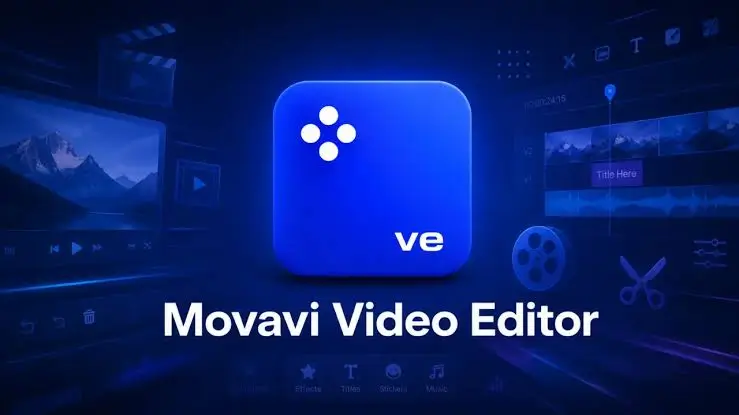
In the fast-paced world of content creation, having a powerful yet accessible video editing tool on your smartphone is no longer a luxury; it is a necessity. Whether you are a social media influencer, a vlogger, or a small business owner, the Movavi app – Video Editor has emerged as a top contender in the mobile editing space.
In this comprehensive review, we will dive deep into the features, user experience, pricing, and overall performance of the Movavi mobile app to help you decide if it is the right editing companion for your creative journey.
What is the Movavi App – Video Editor?
Developed by Movavi, a company renowned for its robust desktop multimedia software, the Movavi app – Video Editor brings professional-grade editing capabilities to iOS and Android devices. It is designed to bridge the gap between simple, template-based mobile editors and complex desktop software. The app offers a multi-track timeline, advanced effects, and high-quality export options, all optimized for touch-screen interfaces.
Key Features of the Movavi Video Editor App
To understand why this app stands out in a crowded market, let’s explore its core features:
1. Intuitive Multi-Track Timeline
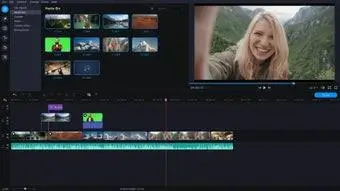
Unlike many basic mobile editors that only allow single-layer editing, the Movavi app features a fully functional multi-track timeline. This allows you to layer videos, images, text, and audio tracks seamlessly, giving you precise control over your project’s pacing and visual depth.
2. Extensive Library of Effects and Filters
The app boasts a massive library of trendy filters, transitions, and visual effects. From cinematic color grading presets to dynamic glitch transitions and picture-in-picture (PiP) effects, Movavi provides everything you need to make your footage look professional and engaging.
3. Advanced Audio Editing Tools
Audio is half the video experience. The Movavi app includes a rich library of royalty-free music and sound effects. It also features essential audio tools like volume adjustment, fade-in/fade-out, and audio ducking (automatically lowering background music when someone is speaking).
4. Dynamic Text and Auto-Captions
Adding text to videos is crucial for social media retention. The app offers a wide variety of animated text presets. Furthermore, it includes an auto-caption feature that automatically generates subtitles for your spoken audio, saving hours of manual typing.
5. High-Quality Export Options
The Movavi app – Video Editor supports exports up to 4K resolution at 60 fps. It also allows you to easily change aspect ratios (9:16 for TikTok/Reels, 16:9 for YouTube, 1:1 for Instagram feeds) without losing crucial parts of your frame, thanks to its smart cropping and background blur tools.
User Interface and Ease of Use
One of the strongest selling points of the Movavi app is its user-friendly interface. The layout is clean, modern, and logically organized.
- For Beginners: The “Quick Mode” and pre-designed templates allow novices to create stunning videos in minutes by simply importing their clips and selecting a style.
- For Advanced Users: The “Pro Mode” unlocks the full multi-track timeline, keyframe animation, and detailed color correction tools.
The drag-and-drop functionality is highly responsive, and the app handles large files smoothly, though performance may vary depending on your device’s hardware.
Pros and Cons of the Movavi App
Pros:
- No Watermark on Premium: The paid version allows you to export videos without any annoying watermarks.
- 4K and 60fps Support: Excellent export quality for high-end smartphones.
- Beginner-Friendly yet Powerful: Perfectly balances ease of use with advanced editing capabilities.
- Auto-Captions: A massive time-saver for creating accessible, social-media-ready content.
- Regular Updates: The developers frequently add new effects, stickers, and features.
Cons:
- Subscription Model: The premium features require a subscription, which can be expensive compared to some one-time purchase alternatives.
- Device Dependent: Editing heavy 4K projects with multiple effects can cause lag or overheating on older or budget smartphones.
- Free Version Limitations: The free version restricts access to many premium effects and includes a watermark, which can be frustrating for new users testing the app.
Pricing and Subscription Plans
The Movavi app – Video Editor operates on a freemium model. You can download and use the basic features for free, but to unlock the full potential of the app, you will need to upgrade to Movavi Premium.
- Free Version: Includes basic trimming, cutting, and a limited selection of effects, but exports will have a Movavi watermark.
- Premium Subscription: Typically offered in weekly, monthly, and yearly tiers (with the yearly plan offering the best value). The premium tier removes the watermark, unlocks all effects, transitions, and music tracks, and provides priority customer support.
Tip: Always look out for free trials or seasonal discounts offered within the app before committing to a yearly plan.
Final Verdict: Is the Movavi App Worth It?
The Movavi app – Video Editor is a phenomenal tool that successfully translates the power of desktop editing into a mobile format. It is arguably one of the best all-in-one video editors available for smartphones today.
If you are a casual user looking to quickly trim a holiday video, the free version or a cheaper alternative might suffice. However, if you are a content creator, social media manager, or aspiring filmmaker who needs multi-track editing, 4K exports, auto-captions, and high-quality effects on the go, the Movavi Premium subscription is absolutely worth the investment. It strikes the perfect balance between professional capabilities and mobile convenience.
Frequently Asked Questions (FAQ)
Is the Movavi app – Video Editor free to use? Yes, the app is free to download and use with basic features. However, to remove the watermark and access premium effects, music, and tools, you need to purchase a subscription.
Does the Movavi app leave a watermark on my videos? The free version adds a Movavi watermark to your exported videos. Upgrading to the premium subscription completely removes the watermark.
Can I edit 4K videos on the Movavi mobile app? Yes, the app fully supports importing, editing, and exporting videos in 4K resolution at up to 60 frames per second, provided your smartphone’s hardware can handle it.
Is Movavi available for both iOS and Android? Yes, the Movavi app – Video Editor is fully optimized and available for download on both the Apple App Store (iOS) and the Google Play Store (Android).
Download from Google Play for Android:
Download for Android, click here
Download from App Store for iPhone:
Download for iPhone, click here