In an era where internet speeds are faster than ever, the default browser downloader often feels like a bottleneck. Whether you are downloading large software suites, 4K videos, or extensive game files, efficiency matters. Enter Neat Download Manager, a compact yet powerful tool that has gained significant traction as a top-tier alternative to Internet Download Manager (IDM).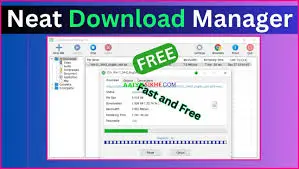
But does it live up to the hype in 2026? In this comprehensive review, we dissect its features, performance, user interface, and value proposition to help you decide if it’s the right download accelerator for your PC.
What is Neat Download Manager?
Neat Download Manager is a free, multi-platform download manager designed for macOS and Windows. Unlike bloated software suites that consume significant system resources, Neat prides itself on being extremely lightweight (less than 2MB in size) while delivering robust download acceleration capabilities. It utilizes dynamic file segmentation and multi-threading technology to maximize your available bandwidth, potentially increasing download speeds by up to 500% compared to standard browser downloads.
Key Features: Why Users Are Switching
1. Exceptional Download Acceleration
The core promise of any download manager is speed. Neat Download Manager achieves this by splitting files into smaller segments and downloading them simultaneously. Our tests indicate that it consistently maximizes bandwidth usage, especially for large files, making it one of the fastest free downloaders available today.
2. Ultra-Lightweight Footprint
One of Neat’s biggest selling points is its minimal system impact.
- Small Installer: The setup file is tiny, ensuring quick installation even on slow connections.
- Low RAM Usage: It runs quietly in the background without slowing down your PC, making it ideal for older hardware or users who multitask heavily.
3. Smart Video Grabber
For media enthusiasts, the built-in video sniffer is a game-changer. When you play a video in your browser (Chrome, Firefox, Safari, etc.), Neat automatically detects the media stream and offers a download button. It supports grabbing videos from thousands of websites, allowing you to save content for offline viewing effortlessly.
4. Browser Integration
Seamless integration is crucial for user experience. Neat Download Manager offers extensions for all major browsers, including:
- Google Chrome
- Mozilla Firefox
- Microsoft Edge
- Safari (macOS)
Once installed, it automatically takes over downloads from the browser, eliminating the need to manually copy and paste links.
5. Pause and Resume Capability
We’ve all been there—a dropped connection ruins a 90% complete download. Neat supports robust resume functionality. If your internet disconnects or you need to shut down your computer, you can pause the download and resume it later from exactly where it left off, saving time and data.
6. Clean, Intuitive Interface
Unlike some competitors that clutter the screen with ads and complex menus, Neat features a minimalist, modern UI. It is easy to navigate, even for non-tech-savvy users. You can categorize downloads, view progress bars clearly, and manage queued files with simple drag-and-drop actions.
Performance Analysis: Neat Download Manager vs. The Competition
How does it stack up against the giants like IDM or Free Download Manager (FDM)?
| Feature | Neat Download Manager | Internet Download Manager (IDM) | Free Download Manager (FDM) |
|---|---|---|---|
| Price | Free | Paid (Trial available) | Free |
| System Resources | Very Low | Moderate | High |
| Video Sniffing | Excellent | Excellent | Good |
| Torrent Support | No | No | Yes |
| Interface | Minimalist | Dated/Complex | Modern/Feature-rich |
| Platform | Win & Mac | Windows Only | Win, Mac, Linux, Android |
Verdict on Performance: If you are looking for raw speed and a “set it and forget it” experience without paying a subscription fee, Neat holds its own against IDM. While it lacks torrent support (which FDM offers), its simplicity and speed make it superior for direct HTTP/HTTPS downloads.
Pros and Cons
To provide a balanced review, here are the strengths and weaknesses of Neat Download Manager in 2026.
✅ The Pros
- Completely Free: No hidden costs, no premium tiers, and no watermarks.
- Cross-Platform: Works natively on both Windows and macOS.
- Ad-Free Experience: The interface is clean and devoid of intrusive advertisements.
- High Speeds: Efficient multi-threading algorithm ensures maximum bandwidth utilization.
- Easy Setup: Installation takes seconds, and browser integration is straightforward.
❌ The Cons
- No Torrent Support: If you need to download .torrent files or magnet links, you will need a separate client.
- Limited Advanced Scheduling: While it has basic queue management, it lacks the complex scheduling features found in paid enterprise tools.
- Basic Site Crawler: It does not have advanced site scraping tools for downloading entire websites.
Is Neat Download Manager Safe?
Security is a primary concern when installing third-party software. Neat Download Manager is widely regarded as safe. It does not bundle malware, adware, or spyware. However, as with any software, it is recommended to download it directly from the official website to avoid modified versions from third-party repositories.
Who Should Use Neat Download Manager?
- Students and Professionals: Who need to download large PDFs, datasets, or software packages quickly.
- Mac Users: Since IDM is not available for macOS, Neat is one of the best free alternatives for Apple users.
- Budget-Conscious Users: Who want premium-like download speeds without the price tag of IDM.
- Minimalists: Who prefer clean software that doesn’t hog system resources.
Final Verdict: Is It Worth Installing in 2026?
Yes. Neat Download Manager remains one of the best-kept secrets in the utility software world. It strikes a perfect balance between performance and simplicity. While it may not have the endless feature set of some heavier competitors, it excels at its primary job: downloading files fast, reliably, and for free.
If you are tired of slow browser downloads and don’t want to pay for a subscription, Neat Download Manager is highly recommended. It is an essential tool for any Windows or Mac user looking to optimize their internet experience.
Frequently Asked Questions (FAQ)
1. Is Neat Download Manager really free? Yes, it is completely free to use for both personal and commercial purposes. There are no hidden fees.
2. Does it work on Windows 11? Yes, Neat Download Manager is fully compatible with Windows 11, Windows 10, and older versions, as well as macOS.
3. Can I download YouTube videos with Neat? Yes, the video grabber feature can detect and download videos from YouTube and many other streaming platforms, provided the website allows it.
4. How do I integrate Neat with Chrome? After installing the application, open Chrome and go to the Chrome Web Store. Search for the “Neat Download Manager Extension” and add it to your browser. Ensure the main application is running in the background.
5. Why is my download speed not increasing? Ensure that no other applications are consuming bandwidth. Also, check that the server you are downloading from allows multi-threaded downloads. Some servers limit speed per connection, which can affect acceleration.
Download Neat Download Manager for Windows:
Download for Windows, click here