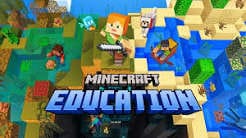
Minecraft Education has evolved from a simple sandbox game into one of the most powerful educational technology tools available today. Designed specifically for classroom environments, this platform leverages the universal appeal of block-building to teach complex subjects ranging from computer science and chemistry to history and language arts. This comprehensive review explores how Minecraft Education functions as a pedagogical engine, its key features, performance across devices, and its overall value for educators and students in 2026.
What Is Minecraft Education?
Minecraft Education is an open-world learning platform that promotes creativity, collaboration, and problem-solving in an immersive digital environment. Unlike the standard consumer version of Minecraft, this edition includes exclusive features tailored for teaching, such as classroom management tools, assessment capabilities, and curriculum-aligned lesson plans. It serves as a versatile canvas where abstract concepts become tangible experiences, allowing students to learn by doing rather than passive observation.
The application supports cross-platform play, ensuring accessibility whether students are using Windows PCs, Macs, Chromebooks, or iPads. This flexibility makes it a viable option for diverse school technology ecosystems, removing hardware barriers that often hinder edtech adoption.
Key Features for Modern Classrooms
Interactive Lesson Library and Curriculum Alignment
One of the strongest selling points of Minecraft Education is its extensive library of pre-built lessons. These are not merely recreational activities but structured learning modules mapped to international standards like ISTE, Common Core, and NGSS. Teachers can filter content by subject, grade level, and learning objective, significantly reducing preparation time. From exploring ancient civilizations in social studies to modeling molecular structures in chemistry, the content is ready to deploy with minimal setup.
Code Builder and Computer Science Integration
Coding literacy is essential in the modern curriculum, and Minecraft Education integrates this seamlessly through its Code Builder feature. Students can learn programming concepts using block-based coding (MakeCode) or text-based languages like Python and JavaScript. The immediate visual feedback within the game world demystifies abstract coding logic, making computational thinking accessible even to younger learners. This feature transforms the game into a live IDE where errors result in visible in-game consequences rather than cryptic error messages.
Classroom Management and Assessment Tools
Educators require control and insight, which Minecraft Education provides through dedicated teacher dashboards. Instructors can manage student permissions, teleport players, freeze worlds during instruction, and monitor progress in real-time. The built-in camera and portfolio features allow students to document their work visually, creating authentic assessments that go beyond traditional testing. Teachers can assign tasks, collect submissions, and provide feedback directly within the platform, streamlining the grading workflow.
Chemistry Resource Pack and STEM Applications
For science educators, the specialized chemistry update adds accurate periodic table elements, lab tables, and compound creation mechanics. Students can combine protons, neutrons, and electrons to build elements, then create compounds like water or salt. This hands-on approach to molecular science bridges the gap between theoretical diagrams and practical understanding, making it an invaluable supplement to traditional lab work when physical resources are limited.
Performance and User Experience
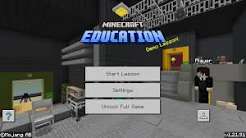
Minecraft Education maintains smooth performance across supported devices, though optimization varies by hardware. On modern Windows and macOS systems, the experience is fluid with high render distances and fast load times. Chromebook and iPad versions are well-optimized for lower-spec hardware, ensuring equitable access, though some advanced features like complex redstone circuits or large-scale builds may perform better on desktop platforms.
The user interface is intuitive for students already familiar with gaming conventions, while new users benefit from in-game tutorials and educator guides. Accessibility features, including text-to-speech, adjustable UI scaling, and input remapping, ensure inclusivity for diverse learner needs. Regular updates keep the platform fresh, adding new biomes, mobs, and educational tools that maintain student engagement over long-term use.
Pros and Cons
Advantages:
- High Engagement: Leverages intrinsic motivation; students willingly spend extended time on learning tasks.
- Cross-Curricular Versatility: Applicable to virtually every subject area and grade level.
- Collaboration Focused: Multiplayer functionality encourages teamwork, communication, and digital citizenship.
- Future-Ready Skills: Develops critical thinking, creativity, coding, and systems thinking simultaneously.
- Active Community: Massive global educator network shares resources, tips, and custom worlds freely.
Disadvantages:
- Learning Curve for Educators: Teachers unfamiliar with gaming may require professional development to utilize the platform effectively.
- Screen Time Concerns: Despite educational value, it remains screen-based activity requiring balanced integration.
- Internet Dependency: While offline modes exist, full functionality including multiplayer and cloud saves requires stable connectivity.
- Assessment Complexity: Evaluating creative, open-ended projects can be more subjective and time-consuming than standardized tests.
Pricing and Licensing Model
Minecraft Education operates on a subscription model typically licensed per user annually through institutional agreements. Schools with existing Microsoft 365 A3/A5 licenses often receive included access, making it cost-effective for districts already invested in the Microsoft ecosystem. Individual educators can also purchase personal licenses for homeschooling or extracurricular use. Compared to single-purpose edtech tools, the breadth of application justifies the investment, as one license covers unlimited subjects and grade levels without additional module fees.
Final Verdict: Is Minecraft Education Worth It?
Minecraft Education stands out as a premier educational platform because it respects both the pedagogy and the play. It avoids the trap of gamification that merely adds points to drill exercises; instead, it creates genuine learning experiences rooted in exploration and creation. For schools seeking to develop 21st-century skills while maintaining academic rigor, it offers unmatched versatility and engagement.
While successful implementation requires thoughtful planning and educator training, the return on investment is substantial. Students don’t just memorize facts—they build understanding, collaborate on solutions, and develop confidence as creators. In an era where education must prepare learners for unpredictable futures, Minecraft Education provides the sandbox where those futures can be practiced, prototyped, and perfected. For forward-thinking institutions, it is not just a tool but a foundational component of modern learning infrastructure.
Download from Google Play for Android:
Download for Android, click here
Download from App Store for iPhone:
Download for iPhone, click here