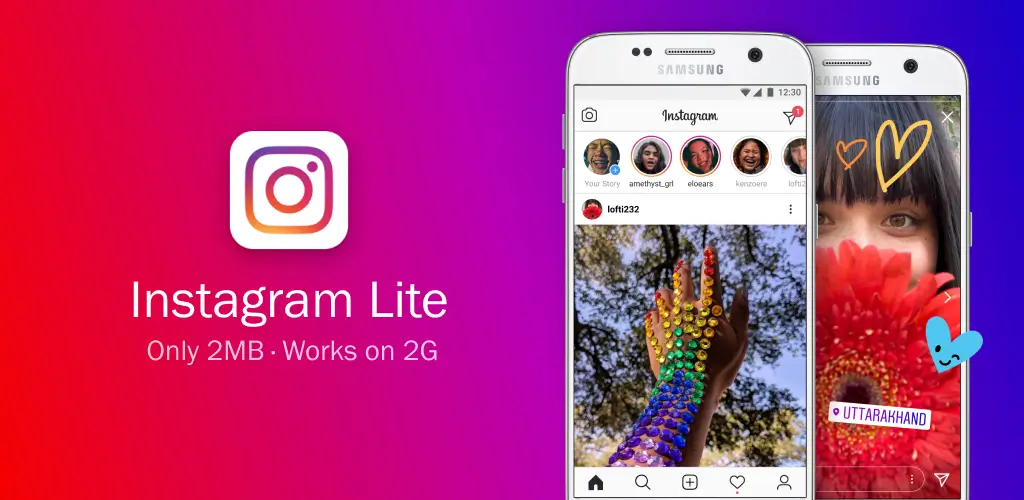
In an era where smartphone storage is premium and data plans are often limited, Instagram Lite has emerged as a popular alternative to the standard Instagram application. Designed to be faster, smaller, and more data-efficient, this lightweight version promises the core Instagram experience without the bloat.
But does it deliver? And crucially, is it available for both Android and iPhone users? This comprehensive review dives deep into the features, performance, pros, and cons of Instagram Lite in 2026, helping you decide if it’s the right choice for your social media needs.
What is Instagram Lite?
Instagram Lite is a stripped-down version of the main Instagram app, optimized for devices with limited storage space, slower processors, or unstable internet connections. Developed by Meta, it focuses on delivering essential features—such as browsing feeds, posting photos, and sending messages—while minimizing resource consumption.
The app size is significantly smaller (often under 2MB for the initial download), making it ideal for entry-level smartphones or users who prefer not to allocate hundreds of megabytes to a single social media app.
Availability: Android vs. iPhone (iOS)
One of the most critical distinctions in this review is platform availability.
✅ For Android Users
Instagram Lite is widely available for Android devices. You can download it directly from the Google Play Store in many countries, particularly in emerging markets like India, Brazil, and parts of Europe and Asia. If it’s not available in your region’s Play Store, it can often be sideloaded via trusted APK repositories, though caution is advised.
❌ For iPhone (iOS) Users
As of 2026, there is no official Instagram Lite app for iPhone or iPad. Apple’s iOS ecosystem does not have an official “Lite” version of Instagram released by Meta. Users looking for a lighter experience on iOS must rely on:
- Using Instagram via Safari or Chrome: Accessing
instagram.comthrough a mobile browser offers a lightweight alternative that doesn’t require app installation. - Offloading the Main App: iOS allows you to “offload” the main Instagram app, which removes the app binary but keeps your data, freeing up space while retaining the icon for quick re-download.
- Third-Party Wrappers: Some unofficial apps claim to be “Instagram Lite,” but these are not endorsed by Meta, pose significant security risks, and may violate Instagram’s terms of service, leading to account bans. We strongly discourage using unofficial third-party clients on iOS.
Key Takeaway: If you are an iPhone user, Instagram Lite is not an option. Your best bet for a lightweight experience is using the mobile website.
Key Features of Instagram Lite (Android)
Despite its small size, Instagram Lite retains many of the core functionalities of the main app:
1. Core Browsing Experience
- Feed & Stories: Scroll through your home feed, view Stories, and explore content just like in the main app.
- Search & Explore: Discover new accounts, hashtags, and locations via the Explore tab.
- Reels Support: You can watch and interact with Reels, though editing capabilities may be limited compared to the full app.
2. Posting & Sharing
- Photo Uploads: Post photos with filters, captions, and tags.
- Basic Editing: Apply simple filters and adjustments (brightness, contrast) before posting.
- Direct Messages (DMs): Send text messages, photos, and videos to friends and groups. Note: Advanced DM features like voice notes or video calls may be restricted or less stable.
3. Data Saver Mode
- Automatic Data Optimization: The app is designed to use less mobile data by loading lower-resolution images and videos by default. Users can manually adjust quality settings in the app.
- Background Data Control: Minimal background activity ensures the app doesn’t consume data or battery when not in use.
4. Performance & Storage
- Tiny Footprint: The app size is typically under 2MB for the installer, expanding to around 10–50MB after use, depending on cache. Compare this to the main Instagram app, which can easily exceed 300MB–1GB.
- Fast Loading: Optimized for slower networks (2G/3G) and older hardware, resulting in quicker launch times and smoother scrolling on low-end devices.
Pros and Cons of Instagram Lite
✅ Pros
- Extremely Small Size: Saves valuable storage space on your device.
- Data Efficient: Ideal for users with limited data plans or slow internet connections.
- Fast Performance: Runs smoothly on older or budget Android phones with limited RAM.
- Battery Friendly: Consumes less battery due to reduced background processes and simpler graphics.
- Core Features Intact: You don’t miss out on essential activities like browsing, posting, and messaging.
❌ Cons
- Limited Advanced Features: No access to advanced Reels editing tools, AR filters, shopping features, or live broadcasting in some regions.
- No iOS Version: iPhone users are excluded from the official Lite experience.
- Simplified UI: The interface is basic and lacks the polished animations and gestures of the main app.
- Fewer Customization Options: Limited settings for notifications, privacy, and account management compared to the full app.
- Potential Stability Issues: As a lighter app, it may occasionally lack the robustness and frequent updates of the main Instagram application.
Instagram Lite vs. Main Instagram App: A Quick Comparison
| Feature | Instagram Lite (Android) | Main Instagram App (Android/iOS) |
|---|---|---|
| App Size | ~2–50 MB | ~300 MB – 1 GB+ |
| Data Usage | Low (optimized) | High (high-res media) |
| Performance | Fast on low-end devices | Requires mid-to-high-end hardware |
| Reels Editing | Basic viewing & simple posts | Full editing suite, AR effects |
| Live Streaming | Limited/Unavailable | Fully Supported |
| Shopping | Limited/Unavailable | Full Shopping Experience |
| DM Features | Text & Media Only | Voice Notes, Video Calls, Vanish Mode |
| iOS Availability | ❌ No | ✅ Yes |
| Android Availability | ✅ Yes | ✅ Yes |
Who Should Use Instagram Lite?
Instagram Lite is an excellent choice for:
- Users with Older Android Phones: If your device struggles with lag or has limited storage (e.g., 32GB or less).
- Data-Conscious Users: Those on limited mobile data plans who want to minimize background data usage.
- Travelers: People traveling in areas with poor connectivity who need a reliable, low-bandwidth social media option.
- Minimalists: Users who only need basic browsing and posting features without the extras.
Who Should Stick with the Main App?
Stick with the standard Instagram app if:
- You’re an iPhone User: Since Lite isn’t available, the main app (or mobile web) is your only official option.
- You’re a Content Creator: If you rely on advanced Reels editing, AR filters, live streaming, or analytics, the Lite app will feel restrictive.
- You Have a Modern Device: If you have ample storage and a fast phone, the main app offers a richer, more polished experience.
- You Use Instagram for Business: Shopping tags, ads management, and professional dashboards are either limited or absent in Lite.
How to Install Instagram Lite on Android
- Open Google Play Store: Search for “Instagram Lite.”
- Check Availability: If available in your region, click “Install.”
- Alternative Method (If Unavailable):
- Visit a trusted APK site (e.g., APKMirror, APKPure).
- Download the latest version of Instagram Lite.
- Enable “Install from Unknown Sources” in your Android settings.
- Install the APK file manually.⚠️ Warning: Only download APKs from reputable sources to avoid malware.
Alternatives for iPhone Users
Since iPhone users cannot install Instagram Lite, here are the best alternatives for a lighter experience:
- Use Instagram in Safari/Chrome:
- Go to
instagram.comand log in. - Add the website to your Home Screen for app-like access.
- This method uses minimal storage and data.
- Go to
- Offload the Main App:
- Go to Settings > General > iPhone Storage.
- Find Instagram and select “Offload App.”
- This frees up space while keeping your login and data intact.
- Disable Background App Refresh:
- Go to Settings > General > Background App Refresh.
- Turn off Background App Refresh for Instagram to reduce data and battery usage.
Final Verdict: Is Instagram Lite Worth It in 2026?
For Android Users: Yes, absolutely. If you have an older device, limited storage, or a tight data plan, Instagram Lite is a fantastic alternative. It delivers the core Instagram experience efficiently without compromising on essential features. While it lacks the bells and whistles of the main app, it excels in speed and simplicity.
For iPhone Users: Not applicable. Since there is no official iOS version, iPhone users should either use the main Instagram app or access Instagram via a mobile browser for a lighter experience. Avoid unofficial third-party “Lite” apps on iOS due to security risks.
Download from Google Play for Android:
Download for Android, click here
SEO Keywords for Instagram Lite Review
Instagram Lite review 2026, Instagram Lite for Android, Instagram Lite vs Instagram, lightweight Instagram app, save data on Instagram, Instagram Lite APK, best Instagram alternative for low-end phones, Instagram Lite features.
💡 Pro Tip: If you’re an Android user switching from the main app to Lite, your login credentials and data remain the same. Simply log in with your existing username and password. However, note that some settings may reset, so you may need to reconfigure notifications and privacy preferences.