In a remote-first work landscape, video conferencing tools are no longer optional—they’re operational essentials. Google Meet has matured from a basic video chat utility into a comprehensive collaboration platform. This in-depth Google Meet review examines its core capabilities, pricing structure, security posture, real-world performance, and ideal use cases to help you determine whether it’s the right fit for your team, classroom, or enterprise.
What Is Google Meet?
Google Meet is a cloud-based video and audio conferencing service built and maintained by Google. Designed for seamless cross-device communication, it integrates natively with Google Workspace, Gmail, and Google Calendar. Users can join or schedule meetings directly from a browser, desktop client, or mobile app without installing additional software. The platform scales from casual catch-ups to enterprise-wide broadcasts, making it a versatile choice for modern communication.
Core Features
Google Meet continues to expand its feature set with a strong focus on AI, accessibility, and workflow integration:
- Adaptive HD Video & Audio: Automatically adjusts quality based on available bandwidth to maintain call stability.
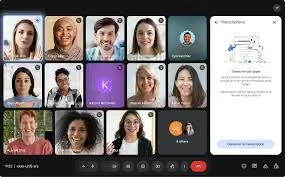
- AI-Powered Live Captions & Translation: Real-time transcription with multilingual support, ideal for global teams.
- Background Noise Suppression: Filters out keyboard taps, ambient chatter, and environmental noise.
- Screen Sharing & Co-Editing: Share tabs, windows, or entire screens while collaborating live on Docs, Sheets, or Slides.
- Breakout Rooms & Hand Raising: Structured facilitation tools for workshops, training, and large classrooms.
- Meeting Recordings & Summaries: Auto-generated transcripts, action items, and highlights (Workspace editions).
- Live Streaming: Broadcast to up to 100,000 viewers via YouTube integration.
- In-Meeting Polls, Q&A, and Attendance Tracking: Available in advanced tiers for engagement and compliance.
User Experience & Interface
Google Meet prioritizes frictionless usability. The dashboard is minimalist, load times are fast, and joining a meeting requires only a link or meeting code. In-call controls are consistently placed across web and mobile, and keyboard shortcuts speed up navigation for power users. The layout adapts intelligently based on participant count, and picture-in-picture mode enables multitasking on desktop. While the simplicity is a strength, users seeking granular audio/video tweaks or custom branding may find the settings menu limited compared to enterprise-focused rivals.
Pricing Plans
Google Meet follows a freemium model tied closely to Google Workspace tiers:
| Plan | Meeting Duration | Participants | Key Features |
|---|---|---|---|
| Free | 60 min (group) | 100 | HD video, captions, screen share |
| Business Starter/Standard | 24 hours | 150–500 | Recording, noise cancellation, breakout rooms |
| Business Plus / Enterprise | 24 hours | 500–1,000 | E2EE, polling, attendance, advanced admin controls, premium support |
| Education & Nonprofit | Varies | Up to 500 | Discounted or free access, classroom tools, compliance features |
Advanced AI summaries, large-capacity meetings, and compliance reporting require a paid Workspace subscription. Organizations already using Gmail, Drive, or Calendar benefit from significant cost savings through bundled licensing.
Security & Privacy Compliance
Google Meet is engineered with enterprise-grade security:
- End-to-end encryption (E2EE) for 1:1 and eligible group meetings
- AES-256 encryption in transit and at rest
- Host controls: waiting rooms, meeting locks, participant muting, screen-share restrictions
- Compliance with GDPR, HIPAA, SOC 2, ISO 27001, and FedRAMP
- Data residency options and DLP integration for regulated industries
- Regular third-party security audits and transparent privacy policies
Administrators can enforce meeting policies, disable external access, and audit logs through the Google Workspace admin console.
Pros & Cons
✅ Pros:
- Zero-learning-curve interface and instant browser access
- Deep, native integration with Google productivity tools
- Reliable performance on low-bandwidth or unstable networks
- Strong out-of-the-box security and compliance certifications
- Generous free tier covering essential meeting needs
- Continuous AI enhancements for accessibility and productivity
❌ Cons:
- Limited standalone advanced features without Workspace subscription
- Free plan’s 60-minute limit disrupts extended collaboration
- Smaller third-party app marketplace compared to competitors
- Custom branding and white-labeling not available
- Premium support tiers required for fast enterprise troubleshooting
Ideal Use Cases
- Remote & Hybrid Teams: Daily standups, project reviews, and cross-timezone syncs
- Education & Training: Virtual classrooms, breakout discussions, and recorded lectures
- Small to Medium Businesses: Client calls, onboarding, and internal workshops
- Enterprise Communications: All-hands meetings, compliance training, and secure board sessions
- Creators & Event Hosts: Webinars, Q&A panels, and live-streamed product launches
Google Meet vs. Competitors
When compared to Zoom, Google Meet trades a larger plugin ecosystem for tighter Google Workspace integration and simpler browser-based access. Zoom still leads in webinar production tools and hardware compatibility, while Meet excels in lightweight deployment and AI-driven meeting summaries. Against Microsoft Teams, Meet lacks unified chat and file management but offers faster call startup, lower resource consumption, and a more intuitive meeting experience. For organizations embedded in Google’s ecosystem, Meet reduces friction, licensing complexity, and IT overhead.
Final Verdict
Google Meet delivers a highly reliable, secure, and accessible video conferencing experience that aligns perfectly with modern collaborative workflows. Its free tier covers everyday needs, while paid Workspace plans unlock enterprise-grade controls, AI productivity tools, and scalable meeting capacities. If your organization already relies on Google’s productivity suite, Meet isn’t just a convenient option—it’s the most efficient, cost-effective, and future-ready communication hub available in 2026.
Frequently Asked Questions
Is Google Meet completely free?
Yes, the free version supports up to 100 participants with a 60-minute limit for group calls. One-on-one meetings have no time restriction.
Can I record meetings on the free plan?
No. Recording, transcripts, and AI summaries require a Google Workspace Business Standard, Plus, Enterprise, or Education Plus subscription.
Does Google Meet work offline?
Meeting scheduling and calendar sync work offline, but live video, audio, and screen sharing require an active internet connection.
Is Google Meet secure enough for healthcare or legal use?
Yes. With HIPAA and GDPR compliance, end-to-end encryption options, and robust host controls, it meets stringent regulatory requirements when configured correctly.
Can I join Google Meet without a Google account?
Yes. External participants can join directly from a browser using a shared link, though some features may be restricted for non-authenticated users.
Does Google Meet support virtual backgrounds?
Yes. Users can apply built-in or custom backgrounds with real-time blur and replacement on both desktop and mobile apps.
Download from Google Play for Android:
Download for Android, click here
Download from App Store for iPhone:
Download for iPhone, click here