Comprehensive Signal App Review 2026: Security, Features & Performance on Android & iPhone
Meta Description: Discover our in-depth Signal app review for 2026. Explore end-to-end encryption, Android & iPhone performance, key features, pros & cons, and why Signal remains the top secure messaging choice.
Introduction
In an era where digital privacy faces constant threats, choosing a secure messaging platform is no longer optional. The Signal app has consistently ranked among the most trusted communication tools worldwide, praised by security experts, journalists, and everyday users alike. This comprehensive Signal app review breaks down its core features, security architecture, and real-world performance on both Android and iPhone. Whether you’re looking for a private alternative to mainstream messengers or evaluating the best encrypted messaging app for daily use, this guide covers everything you need to know in 2026.
What Is Signal Messenger?
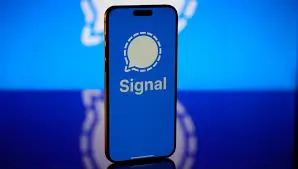
Signal is a free, open-source messaging application developed by the Signal Foundation, a non-profit organization dedicated to advancing digital privacy. Unlike commercial messaging platforms, Signal operates without ads, data tracking, or corporate surveillance. The app supports text messaging, voice and video calls, group chats, file sharing, and advanced privacy controls, all protected by default end-to-end encryption. Available on Android, iOS, Windows, macOS, and Linux, Signal maintains feature parity across platforms while prioritizing user anonymity and data minimization.
Core Features & Capabilities
Signal delivers a focused, clutter-free communication experience. Below are the standout features available on both Android and iPhone:
- End-to-End Encrypted Messaging: All texts, media, and files are encrypted by default.
- Secure Voice & Video Calls: HD-quality calls with built-in encryption and minimal latency.
- Disappearing Messages: Customizable timers (from seconds to weeks) for auto-deleting chats.
- View-Once Media: Photos and videos that vanish after a single viewing.
- Screen Security: Blocks screenshots and app switcher previews for sensitive conversations.
- Signal Notes: A private, encrypted space for storing reminders, drafts, or personal logs.
- Username System: Register with a unique username instead of sharing your phone number.
- Group Chats & Admin Controls: Support for large groups with role-based moderation.
- Cross-Device Linking: Seamlessly sync conversations across phone, tablet, and desktop clients.
- Custom Notifications & Chat Folders: Organize conversations and set priority alerts.
The app intentionally avoids bloatware, focusing instead on reliable performance and user control.
Security & Privacy: Why Signal Leads the Pack
Signal’s architecture is built around a single principle: collect as little data as possible. Here’s why it remains the gold standard for private communication:
- Signal Protocol: Industry-standard encryption co-developed by the same team, now adopted by numerous messaging platforms.
- Minimal Metadata: Unlike competitors, Signal stores virtually no metadata. It only retains your registration timestamp and last connection date.
- Open-Source Code: Fully auditable by independent security researchers, ensuring transparency and rapid vulnerability patching.
- No Ads, No Trackers, No AI Training: Your messages are never scanned, monetized, or used to train algorithms.
- Safety Numbers & Verification: Built-in key verification prevents man-in-the-middle attacks.
- Registration Lock & PIN Protection: Secures your account against SIM-swap and unauthorized transfers.
In 2026, Signal continues to lead privacy benchmarks, regularly updating its cryptographic implementations to counter emerging threats.
User Experience on Android vs iPhone
While Signal’s app core functionality is identical across platforms, subtle differences in OS integration shape the user experience.
Android Performance & Customization
- Notification Handling: Faster background delivery with optimized battery usage. Supports per-chat notification channels and granular alert controls.
- Widget Support: Offers home screen widgets for quick message previews and direct call initiation.
- Default SMS App: Can optionally replace your default messaging app, seamlessly blending SMS and Signal conversations.
- Customization: Greater flexibility with launchers, icon packs, and third-party keyboard integrations.
iPhone (iOS) Performance & Integration
- System-Level Optimization: Smooth animations, consistent haptic feedback, and seamless integration with iOS share sheets and Shortcuts.
- Privacy Indicators: Leverages Apple’s microphone/camera usage alerts and app privacy reports.
- Background Refresh: Efficiently manages push notifications while respecting iOS power-saving protocols.
- UI Consistency: Follows Apple’s Human Interface Guidelines, offering a clean, native feel.
Verdict: Android users benefit from deeper system integration and customization, while iPhone users enjoy polished OS synergy and streamlined privacy controls. Both platforms deliver identical encryption and feature sets.
Pros & Cons
✅ Pros
- End-to-end encryption enabled by default
- Zero ads, tracking, or data monetization
- Open-source and independently audited
- Lightweight, fast, and battery-efficient
- Username support reduces phone number exposure
- Free forever with no premium tiers
- Cross-platform desktop sync
❌ Cons
- Smaller user base compared to WhatsApp or iMessage
- Limited built-in fun features (e.g., no AI stickers, games, or payment integrations)
- Group calls cap at 40 participants
- No cloud backup option (local encrypted backups only)
- Limited third-party bot or API ecosystem
Pricing & Availability
Signal is completely free to download and use on both Google Play and the App Store. There are no subscription plans, in-app purchases, or hidden fees. The non-profit model is sustained through grants and individual donations, ensuring the app remains independent of commercial interests. Minimum requirements are Android 8.0+ and iOS 14+, making it accessible on most modern devices.
Signal vs Competitors
| Feature | Signal | Telegram | iMessage | |
|---|---|---|---|---|
| Default E2EE | ✅ Yes | ✅ Yes (opt-in for backups) | ❌ No (only Secret Chats) | ✅ Yes (Apple ecosystem only) |
| Metadata Collection | Minimal | High | Moderate | Low (within Apple) |
| Open Source | ✅ Yes | ❌ No | ✅ Partial | ❌ No |
| Cross-Platform | ✅ All OS | ✅ All OS | ✅ All OS | ❌ Apple only |
| Cloud Backup | ❌ Local only | ✅ Encrypted cloud | ✅ Cloud (non-E2EE) | ✅ iCloud |
| Privacy Focus | ⭐⭐⭐⭐⭐ | ⭐⭐ | ⭐⭐⭐ | ⭐⭐⭐⭐ |
Signal wins for users who prioritize privacy, transparency, and data minimization. Competitives offer richer ecosystems but compromise on metadata collection or encryption defaults.
Final Verdict: Is Signal the Right Messaging App for You?
If your primary goal is secure, private, and ad-free communication, Signal remains the best encrypted messaging app in 2026. It sacrifices social features and cloud convenience in exchange for uncompromising privacy, making it ideal for professionals, activists, journalists, and privacy-conscious everyday users. While its smaller network effect means you may need to encourage friends to switch, the long-term benefits of data sovereignty and cryptographic integrity far outweigh the initial friction.
For Android users, Signal delivers robust customization and reliable background performance. iPhone users benefit from seamless iOS integration and consistent system-level privacy indicators. Regardless of your device, Signal sets the benchmark for what a messenger should be: fast, free, open, and fiercely protective of your data.
Ready to upgrade your digital privacy? Download the Signal app today from the App Store or Google Play, enable screen security, set up disappearing messages, and experience messaging the way it was meant to be: secure, simple, and entirely yours.
Download from Google Play for Android:
Download for Android, click here
Download from App Store for iPhone:
Download for iPhone, click here