What Is PUBG MOBILE?
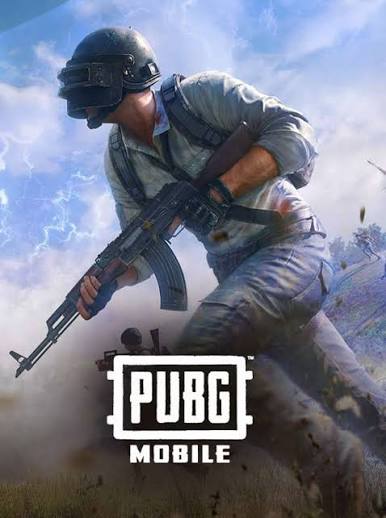
PUBG MOBILE is a multiplayer battle royale game in which players compete to become the last person or team standing. Developed through the collaboration of major game studios, it brings the PlayerUnknown’s Battlegrounds experience to Android and iOS devices.
The game places players on large maps where they must collect weapons, equipment, ammunition, and supplies while fighting opponents and avoiding an increasingly restricted play area.
Players can compete alone or team up with friends, making PUBG MOBILE suitable for both individual players and groups looking for competitive online action.
Since its global launch in 2018, the game has continued to receive new content, events, maps, gameplay modes, and seasonal updates.
PUBG MOBILE Gameplay
The main gameplay experience revolves around survival and tactical decision-making.
At the beginning of a Classic battle, players enter the match and choose where to land. After reaching the ground, they search buildings and surrounding areas for weapons, protective equipment, medical supplies, and ammunition.
As the match progresses, the playable area becomes smaller, forcing surviving players closer together.
The objective is simple: eliminate opponents, survive until the end, and achieve a Chicken Dinner.
However, winning requires more than accurate shooting. Players must also understand positioning, movement, map awareness, equipment management, and teamwork.
Main Features of PUBG MOBILE
1. Battle Royale Matches
Classic Mode is one of the most recognizable experiences in PUBG MOBILE.
Matches can involve up to 100 players competing in the same battle. Players can choose between different team configurations, including solo, duo, and squad gameplay where available.
The experience combines exploration, combat, survival, and tactical decisions.
Every match can develop differently depending on where players land, which equipment they find, and how they respond to other teams.
2. Multiple Maps
PUBG MOBILE features several maps with different environments and gameplay characteristics.
Some well-known maps include:
- Erangel: A large, balanced battleground featuring towns, military locations, open fields, and varied terrain.
- Miramar: A desert environment with long sightlines and open areas that encourage careful positioning.
- Sanhok: A smaller tropical map designed for faster encounters.
- Livik: A compact battleground designed for shorter and more dynamic matches.
Map availability and rotation can change between updates and game modes.
Choosing the right map can influence your strategy, preferred weapons, and approach to combat.
3. A Wide Selection of Weapons
Weapons are central to the PUBG MOBILE experience.
Players can find different firearm categories, including:
- Assault rifles.
- Submachine guns.
- Sniper rifles.
- Designated marksman rifles.
- Shotguns.
- Light machine guns.
- Pistols.
Each weapon has different characteristics, such as firing speed, recoil, effective range, and ammunition type.
Players can also collect attachments to customize certain weapons and improve their performance.
Learning which weapons suit your playstyle can make a significant difference during intense encounters.
4. Vehicles and Transportation
Large maps make transportation an important part of survival.
Depending on the map and mode, players can find vehicles that help them move between locations, escape dangerous situations, or reach the safe zone more quickly.
Vehicles can also introduce risks because their noise may attract nearby opponents.
Knowing when to travel by vehicle and when to move on foot is an important part of developing a successful strategy.
5. Teamwork and Voice Chat
PUBG MOBILE supports team-based gameplay, allowing friends to compete together.
Players can communicate using voice chat and coordinate their actions during matches.
Good teamwork can help squads:
- Share information about enemy locations.
- Distribute weapons and supplies.
- Plan rotations between areas.
- Revive teammates when possible.
- Coordinate attacks and defensive positions.
Communication is especially important during the final stages of a match, when mistakes can quickly eliminate an entire team.
6. Arena and Other Game Modes

PUBG MOBILE offers more than traditional battle royale matches.
The store description also highlights additional experiences, including:
- Arena: Faster multiplayer combat, including 4v4 battles.
- Payload: A mode featuring additional combat equipment and vehicles.
- Infection Mode: An alternative experience involving different player roles and objectives.
The available modes can change depending on seasonal events and updates.
7. Customizable Controls
The game provides customizable control settings so players can adjust the interface to their preferences.
You can modify button positions, sensitivity, and other available settings to improve comfort and accuracy.
This is particularly useful for players who prefer different layouts for movement, aiming, shooting, and controlling vehicles.
8. Training Mode
Training features allow players to practice before entering competitive matches.
Players can work on aiming, shooting, weapon handling, and other skills without the pressure of a full battle.
New players can use these features to become familiar with the controls and different weapon types.
9. Events and Seasonal Content
PUBG MOBILE regularly introduces events, missions, themed content, and other limited-time activities.
These additions can include cosmetic items, outfits, weapon appearances, rewards, and special gameplay experiences.
Because events change frequently, players should check the in-game event section for current activities and availability.
Graphics and Sound
PUBG MOBILE offers detailed environments and visual effects designed for mobile devices.
The game includes different landscapes, buildings, weather effects, character animations, and weapon effects.
Sound is also important. Footsteps, gunfire, and vehicle noises can provide useful information about nearby opponents.
Players who use headphones may find it easier to recognize the direction of certain sounds during combat.
Graphics quality and performance depend on the device’s hardware and the settings selected by the player.
Is PUBG MOBILE Free to Play?
Yes. PUBG MOBILE is free to download and play.
However, it includes advertisements and optional in-app purchases, depending on the platform and region.
The game offers cosmetic items and other purchasable content. Players should review purchase details before spending money, particularly when buying virtual currency or random reward items.
You do not need to purchase every optional item to experience the main battle royale gameplay.
PUBG MOBILE System Requirements
The requirements can change as the game receives updates, so there is no single hardware specification that guarantees the best experience on every device.
Before installing the game, consider the following:
- A compatible Android or iOS device.
- Sufficient free storage for the game and additional resources.
- A stable internet connection.
- A device capable of running the game’s graphics and performance settings.
- An updated operating system supported by the current store listing.
For a smoother experience, a device with stronger processing and graphics capabilities is recommended.
The actual download size can vary because additional maps, resources, and updates may be downloaded after installation.
How to Download PUBG MOBILE for Android
Android users can download PUBG MOBILE through the official Google Play Store.
Official Google Play Download:
https://play.google.com/store/apps/details?id=com.tencent.ig
Follow these steps:
- Open Google Play on your Android device.
- Search for PUBG MOBILE.
- Check that the publisher is Level Infinite.
- Tap Install.
- Wait for the download and installation to finish.
- Open the game and download any additional resources it requires.
Avoid unofficial modified versions and suspicious APK websites because they may expose your device or account to security risks.
How to Download PUBG MOBILE for iPhone and iPad
iPhone and iPad users can install PUBG MOBILE through Apple’s official App Store.
Official App Store Download:
https://apps.apple.com/app/pubg-mobile/id1330123889
Installation steps:
- Open the App Store.
- Search for PUBG MOBILE.
- Check the developer information.
- Tap Get.
- Complete the installation.
- Launch the game and follow the initial setup instructions.
Availability and device compatibility may vary depending on your region and Apple’s current requirements.
Advantages and Disadvantages of PUBG MOBILE
Advantages
- Large-scale battle royale matches.
- Several maps with different environments.
- A wide selection of weapons and equipment.
- Solo and team-based gameplay.
- Voice chat and team coordination.
- Multiple additional game modes.
- Customizable controls and training features.
- Regular events and content updates.
- Free access to the main gameplay experience.
Disadvantages
- Requires a stable internet connection.
- Can consume considerable storage space.
- Performance depends heavily on device hardware.
- Some cosmetic content and rewards require purchases.
- Competitive matches can be challenging for beginners.
- Frequent updates may require additional downloads.
- Online matches can be affected by network latency.
Tips for Beginners
If you are new to PUBG MOBILE, these tips can help you improve:
- Learn the controls: Spend time adjusting the layout and sensitivity settings.
- Choose your landing location carefully: Avoid crowded areas while learning the basics.
- Collect essential equipment: Prioritize a suitable weapon, ammunition, armor, and healing items.
- Watch the safe zone: Avoid staying outside the playable area for too long.
- Use cover: Buildings, rocks, and other obstacles can protect you during combat.
- Listen carefully: Sound can reveal nearby opponents.
- Communicate with teammates: Share information and coordinate your movements.
- Practice regularly: Training and repeated matches help improve your aim and decision-making.
Is PUBG MOBILE Suitable for Teenagers?
PUBG MOBILE is a competitive shooting game that includes firearm combat and online interactions.
Its age rating varies by platform and region. The Google Play listing uses a Teen rating, while the Apple App Store listing displays a 13+ age rating in the referenced store.
Parents should check the rating in their local store and consider the game’s combat content, online communication, and optional in-app purchases before allowing younger players to install it.
Frequently Asked Questions
Is PUBG MOBILE free?
Yes. PUBG MOBILE is free to download and play, with optional in-app purchases.
Can I play PUBG MOBILE with friends?
Yes. The game supports team-based matches, allowing players to invite friends and compete together.
How many players can join a Classic match?
Classic battle royale matches can support up to 100 players, depending on the selected mode.
Is PUBG MOBILE available on Android and iPhone?
Yes. The game is available through Google Play for compatible Android devices and the Apple App Store for supported iPhones and iPads.
Does PUBG MOBILE require an internet connection?
Yes. PUBG MOBILE is primarily an online multiplayer game and requires an internet connection to participate in its matches.
What is the Chicken Dinner in PUBG MOBILE?
A Chicken Dinner is the victory achievement awarded when a player or team wins a Classic battle royale match.
Does PUBG MOBILE have different maps?
Yes. The game features multiple maps, including Erangel, Miramar, Sanhok, and Livik. Available maps may vary by mode and update.
Can I customize the controls?
Yes. Players can adjust supported control layouts and sensitivity settings to suit their preferences.
Final Verdict
PUBG MOBILE remains a strong choice for players who enjoy competitive shooting games and large-scale survival battles on mobile devices.
Its combination of battle royale matches, varied maps, weapon selection, vehicles, team communication, and additional game modes creates an experience with plenty of replay value.
The game does require a reliable internet connection and a compatible device, while its optional purchases and storage requirements are worth considering before installation.
If you enjoy tactical combat, multiplayer competition, and working with teammates to survive until the end, PUBG MOBILE is worth trying.
Download from Google Play for Android:
Download for Android, click here
Download from App Store for iPhone:
Download for iPhone, click here
Secondary Keywords: PUBG MOBILE review, PUBG MOBILE download, PUBG MOBILE Android, PUBG MOBILE iPhone, battle royale mobile game, PUBG MOBILE gameplay