Call of Duty: Warzone Mobile marks a significant milestone in mobile gaming, bringing the full-scale, cross-platform battle royale experience of Warzone to smartphones. Developed by Activision, this title is not just a port but a dedicated ecosystem that connects seamlessly with Modern Warfare II, Modern Warfare III, and Black Ops 6.
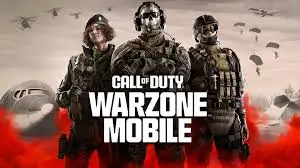
This comprehensive review explores the gameplay, graphics, controls, progression system, and performance on both Android and iOS devices to help you decide if it’s the right shooter for your mobile library.
🎮 Overview: What is Warzone Mobile?
Call of Duty: Warzone Mobile is a free-to-play battle royale and multiplayer first-person shooter (FPS) designed specifically for touchscreens. Unlike previous CoD mobile titles, it shares a unified progression system with its console and PC counterparts. This means your weapons, operators, and battle pass progress carry over across all platforms.
The game features two primary modes:
- Battle Royale: Drop into Verdansk or Rebirth Island with up to 120 players.
- Multiplayer: Classic 6v6 matches on iconic maps like Shipment, Shoot House, and Nuketown.
📱 Graphics and Visual Fidelity
On High-End Devices (iPhone 15 Pro, Samsung S24 Ultra, etc.)
On flagship devices, Call of Duty: Warzone Mobile delivers console-quality visuals. The lighting effects, texture details, and character models are impressive. The game supports high frame rates (up to 120 FPS on supported devices), providing a smooth and competitive edge.
On Mid-Range and Older Devices
Activision has included extensive graphics settings to ensure accessibility. Players can adjust resolution, texture quality, shadow detail, and anti-aliasing. While lower-end devices may experience reduced visual fidelity, the core gameplay remains intact. However, users should expect some frame drops during intense combat sequences on older hardware.
SEO Tip: Optimize your device settings for performance over visuals if you prioritize competitive play.
🕹️ Controls and User Interface (UI)
Touch Controls
The default touch controls are highly customizable. Players can adjust button size, position, and transparency. The inclusion of gyroscope aiming is a game-changer for precision, allowing for fine-tuned adjustments without relying solely on thumb sticks.
Controller Support
Call of Duty: Warzone Mobile fully supports Bluetooth controllers (Xbox, PlayStation, and MFi controllers). This feature bridges the gap between mobile and console gaming, offering a familiar experience for veteran CoD players.
UI Design
The user interface is clean and intuitive, mirroring the design language of modern CoD titles. Navigating menus, customizing loadouts, and accessing the store is straightforward, though occasional clutter from promotional banners can be distracting.
🔫 Gameplay Mechanics
Movement and Gunplay
The movement system includes sliding, diving, and mantling, which feel responsive on touchscreens. Gunplay is authentic to the Call of Duty franchise, with realistic recoil patterns and time-to-kill (TTK) values. The Gunsmith system allows for deep weapon customization, letting players tailor attachments to their playstyle.
Cross-Progression and Shared Content
One of the standout features is shared progression. Weapons leveled up in Warzone Mobile unlock attachments for use in MWII, MWIII, and BO6 on console/PC. This integration incentivizes players to engage with the mobile version even if they primarily play on other platforms.
Exclusive Mobile Features
The game introduces mobile-specific optimizations, such as:
- Ping System: Enhanced communication tools for squad coordination.
- Auto-Pickup: Streamlined looting mechanics to reduce menu navigation.
- Touch-Friendly HUD: Designed to maximize screen real estate for visibility.
🌍 Maps and Modes
Verdansk and Rebirth Island
The return of Verdansk, the iconic map from the original Warzone, is a major highlight. It has been optimized for mobile hardware while retaining its classic layout. Rebirth Island offers a faster-paced, respawn-enabled experience perfect for quick sessions.
Multiplayer Maps
Classic maps like Shipment, Hackney Yard, and Rust are available for quick 6v6 matches. These modes are ideal for practicing aim and testing new loadouts without the time commitment of a full battle royale match.
⚙️ Performance on Android vs. iOS
iOS (iPhone/iPad)
Warzone Mobile is highly optimized for iOS devices, particularly those with A17 Pro chips and newer. Apple’s Metal API ensures efficient rendering, resulting in stable frame rates and minimal heating issues on newer iPhones. iPad users benefit from a larger field of view and more precise control options.
Android
Performance on Android varies significantly due to the fragmented hardware landscape. Flagship devices (Snapdragon 8 Gen 2/3) run the game smoothly, but mid-range devices may struggle with thermal throttling and frame instability. Activision continues to release updates to improve optimization for a wider range of Android phones.
Note: Ensure your device meets the minimum requirements: Android 10+ with 4GB RAM or iOS 17+.
💰 Monetization and Battle Pass
Warzone Mobile follows the standard free-to-play model with a Battle Pass and in-game store.
- Battle Pass: Offers cosmetic items, weapon blueprints, and COD Points. Progression is shared across platforms.
- Store: Sells operator skins, weapon bundles, and finishing moves.
- Pay-to-Win? No. All purchases are cosmetic. Weapon stats are determined by attachments, not by paid bundles.
✅ Pros and Cons
Pros
- Cross-Progression: Seamless integration with console/PC CoD titles.
- Authentic Experience: True Warzone gameplay on mobile.
- High-Quality Graphics: Console-level visuals on flagship devices.
- Controller Support: Full compatibility with external controllers.
- Regular Updates: New seasons, maps, and events aligned with mainline CoD games.
Cons
- High Storage Requirements: The game requires significant storage space (10GB+ initially, expanding with updates).
- Battery Drain: Intensive gameplay can drain battery quickly on older devices.
- Performance Variability: Inconsistent performance on mid-range Android devices.
- Learning Curve: Complex controls may overwhelm new mobile FPS players.
🏆 Final Verdict: Is Warzone Mobile Worth Downloading?
Yes, absolutely. Call of Duty: Warzone Mobile sets a new standard for mobile shooters. It successfully brings the depth and complexity of Warzone to smartphones without compromising the core experience. For fans of the franchise, the cross-progression feature alone makes it a must-play. For mobile gamers, it offers a competitive, high-fidelity battle royale experience that rivals native PC/console titles.
While performance issues on lower-end devices remain a concern, ongoing optimizations promise a smoother experience in future updates. If you have a capable smartphone and a passion for FPS games, Warzone Mobile is an essential download.
🔍 SEO Keywords for Discovery:Call of Duty Warzone Mobile review, Warzone Mobile iOS performance, Warzone Mobile Android settings, best mobile battle royale 2026, CoD Mobile vs Warzone Mobile, Warzone Mobile controller support, cross-progression Call of Duty, Verdansk mobile gameplay, Warzone Mobile system requirements, best FPS games for iPhone and Android.
❓ Frequently Asked Questions (FAQ)
Q: Does Warzone Mobile support cross-play with console and PC?
A: No, Warzone Mobile is a separate matchmaking pool. However, it shares cross-progression for weapons and battle pass items.
Q: Can I play Warzone Mobile on tablets?
A: Yes, the game is optimized for both phones and tablets, offering a wider field of view on larger screens.
Q: Is Warzone Mobile free to play?
A: Yes, the game is completely free to download and play, with optional cosmetic microtransactions.
Q: What is the minimum storage space required?
A: Initially, the game requires around 10-12 GB, but additional maps and content can increase this to 20 GB or more.
Q: Does it support 120 FPS?
A: Yes, on supported devices with high-refresh-rate displays (e.g., iPhone 15 Pro, Samsung S24 Ultra).
Download from Google Play for Android:
Download for Android, click here
Download from App Store for iPhone:
Download for iPhone, click here