In the crowded landscape of music streaming platforms, Audiomack: Music Downloader has carved out a massive niche for itself. While industry giants focus heavily on mainstream pop and legacy rock catalogs, Audiomack has positioned itself as the ultimate hub for trending sounds, mixtapes, and global street music.
Whether you are a hip-hop head, an Afrobeats enthusiast, or simply a listener looking for a reliable way to download music for offline playback, this comprehensive review breaks down everything you need to know about the Audiomack app, its features, and its overall value.
🎵 The Core Experience: What is Audiomack?
Audiomack is a free music streaming and audio-sharing platform that allows users to discover, stream, and download music. Originally built as a platform for independent artists and DJs to upload mixtapes, it has evolved into a global powerhouse. It is widely recognized as the premier destination for Hip-Hop, R&B, Afrobeats, Dancehall, Amapiano, and Electronic music.
Unlike traditional streaming services that lock offline listening behind expensive premium paywalls, Audiomack’s “Music Downloader” functionality allows users to save tracks and mixtapes to their devices for offline listening directly within the app, making it a favorite for users with limited data plans.
🌟 Key Features That Set Audiomack Apart
1. Offline Listening & Downloads
The standout feature of the app is its robust offline capability. Users can “download” songs, albums, and DJ mixtapes directly to their offline library. This means you can commute, travel, or work out without burning through cellular data or relying on a spotty Wi-Fi connection.
2. Trending Charts & Localized Discovery
Audiomack’s algorithmic and editorial charts are incredibly dynamic. The app features localized trending charts, allowing users to see what is blowing up in specific cities or countries. If you want to know what the streets are listening to in London, Lagos, New York, or Toronto, Audiomack’s charts are the most accurate reflection of real-time cultural trends.
3. Mixtapes and DJ Sets
While other platforms focus strictly on official album releases, Audiomack embraces the culture of the mixtape. You can find exclusive DJ blends, unreleased freestyles, and full-length DJ sets that you simply cannot find on mainstream competitors.
4. High-Quality Audio Streaming
The app offers high-quality audio streaming, ensuring that the heavy basslines of hip-hop and the intricate percussion of Afrobeats are delivered with crisp, rich sound.
📱 User Interface and Experience (UI/UX)
Audiomack boasts a sleek, modern, and highly intuitive interface.
- Navigation: The bottom navigation bar provides quick access to Home, Search, My Music, and Mixtapes.
- Dark Mode: The app features a native dark theme that looks fantastic and saves battery life on OLED screens.
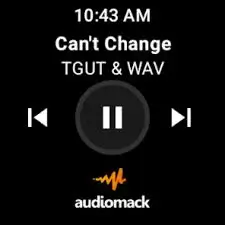
- Playback Controls: The media player is responsive, featuring smooth transitions, easy playlist creation, and seamless background playback.
- User Uploads: A unique UI feature is the ability for users to see local files and cloud uploads integrated smoothly into their personal libraries.
🎧 Music Catalog: Who is This App For?
Audiomack is not designed to replace a massive library of 1970s classic rock or mainstream country music. Instead, it dominates in specific cultural lanes:
- Hip-Hop & Rap: From underground SoundCloud-style rap to mainstream chart-toppers.
- Global Sounds: It is arguably the best app on the market for Afrobeats, Amapiano, Dancehall, and Reggae.
- R&B and Soul: A growing catalog of smooth, trending R&B tracks.
- Electronic & DJ Mixes: Perfect for fans of continuous mixes and club sets.
If your music taste leans toward global street culture, emerging artists, and urban genres, Audiomack’s catalog will feel like a goldmine.
⚖️ Pros and Cons
✅ The Pros
- Free Offline Downloads: The ability to cache music for offline listening without an immediate premium subscription is a massive advantage.
- Unmatched Discovery: Excellent recommendation engine for discovering underground and rising artists before they hit the mainstream.
- Supports Indie Artists: A highly accessible upload system allows independent creators to reach millions of listeners.
- Curated Playlists: Expertly crafted playlists that stay ahead of musical trends.
- Data-Saver Mode: Built-in features to reduce data consumption while streaming on the go.
❌ The Cons
- Ad-Supported Free Tier: The free version includes audio and banner ads, which can occasionally interrupt the listening experience.
- Niche Mainstream Catalog: Fans of classic rock, indie folk, or legacy pop might find the catalog lacking compared to legacy streaming giants.
- Audio Quality Ceilings: While the audio is great for mobile listening, it does not currently offer the Lossless/Hi-Res audio tiers demanded by hardcore audiophiles.
💎 Audiomack Free vs. Audiomack Premium
The free version of Audiomack is incredibly generous, offering full streaming and offline caching capabilities. However, Audiomack Premium is available for users who want an uninterrupted experience.
Upgrading to Premium removes all audio and display ads, provides unlimited skips, and often grants early access to exclusive features or higher-priority customer support. For heavy users who spend hours a day on the app, the premium tier offers a clean, frictionless listening experience for a highly competitive monthly price.
🏆 Final Verdict
Audiomack: Music Downloader is much more than just a utility app for saving songs; it is a cultural curator. It successfully bridges the gap between a streaming service, a social discovery platform, and an offline music locker.
Who should download it?
If you are a fan of Hip-Hop, Afrobeats, R&B, or DJ mixtapes, and you want the freedom to download music for offline listening without hitting a paywall immediately, Audiomack is an absolute must-have. It is arguably the best free music app on the market for trendsetters and fans of emerging global sounds.
Rating: ⭐⭐⭐⭐½ (4.5/5)
Download from Google Play for Android:
Download for Android, click here
Download from App Store for iPhone:
Download for iPhone, click here